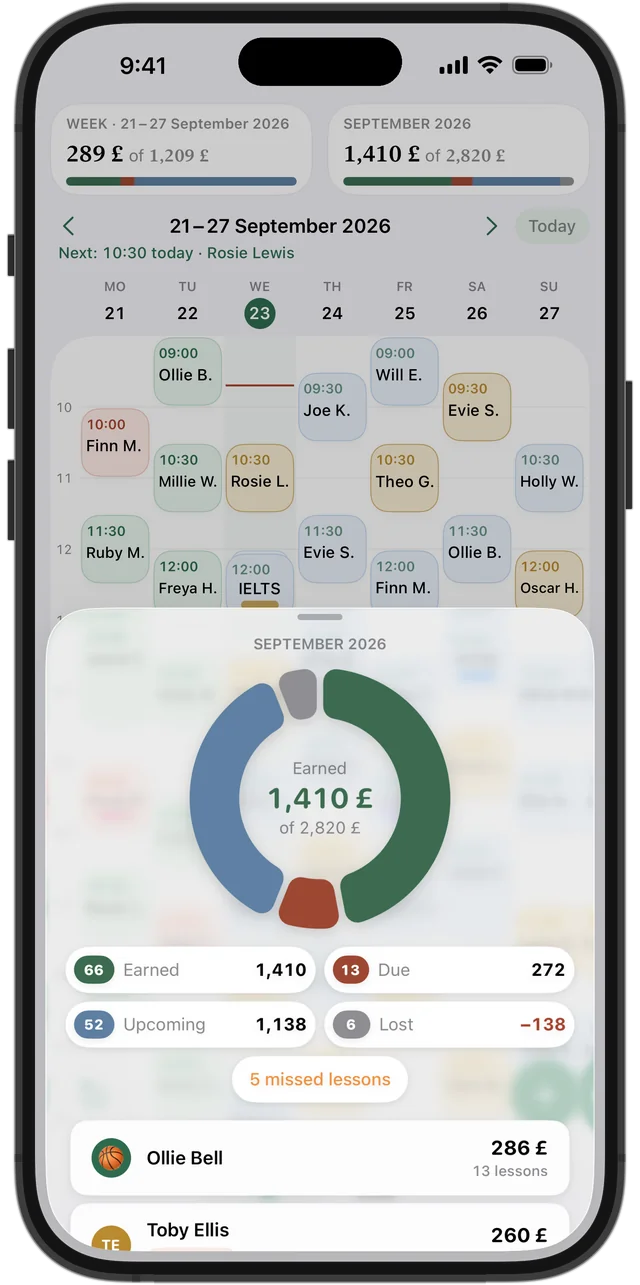
Tutoring record template (.xlsx)
Four sheets — Students, Lessons, Payments and Balance — that open in Excel, Numbers and Google Sheets.
Tutor income calculator
Example numbers — enter your own
This is an estimate, not a promise: bank holidays, half-terms and illness make every month a little different.
Your students
Type your students and prices — the template downloads with them and ready-made formulas.
How to set up the template in five minutes
Start with the Students sheet: name, price per lesson, phone or email, and a note — for example, when their GCSEs are. Then each lesson you teach goes on its own row on the Lessons sheet, and each payment on its own row on the Payments sheet.
Type the price into every lesson row. That way, when you put your rates up, past lessons keep the old price and old balances don't shift. Spell names identically everywhere: to a spreadsheet, "Olivia Hughes" and "Olivia H." are two different people.
What the formulas on the Balance sheet do
Paid is the total of a student's payments. Charged is the total price of their done and missed lessons. Balance is the difference between the two: a positive figure means they've paid in advance, a negative one means they owe you.
It all runs on SUMIF and SUMIFS, so the template behaves the same in Excel, Numbers and Google Sheets. Add new rows inside the table rather than underneath it, so the formulas include them.
Try it free for 14 days · No card required. Subscribe only once the app has proven it's worth it to you.
Download on the App Store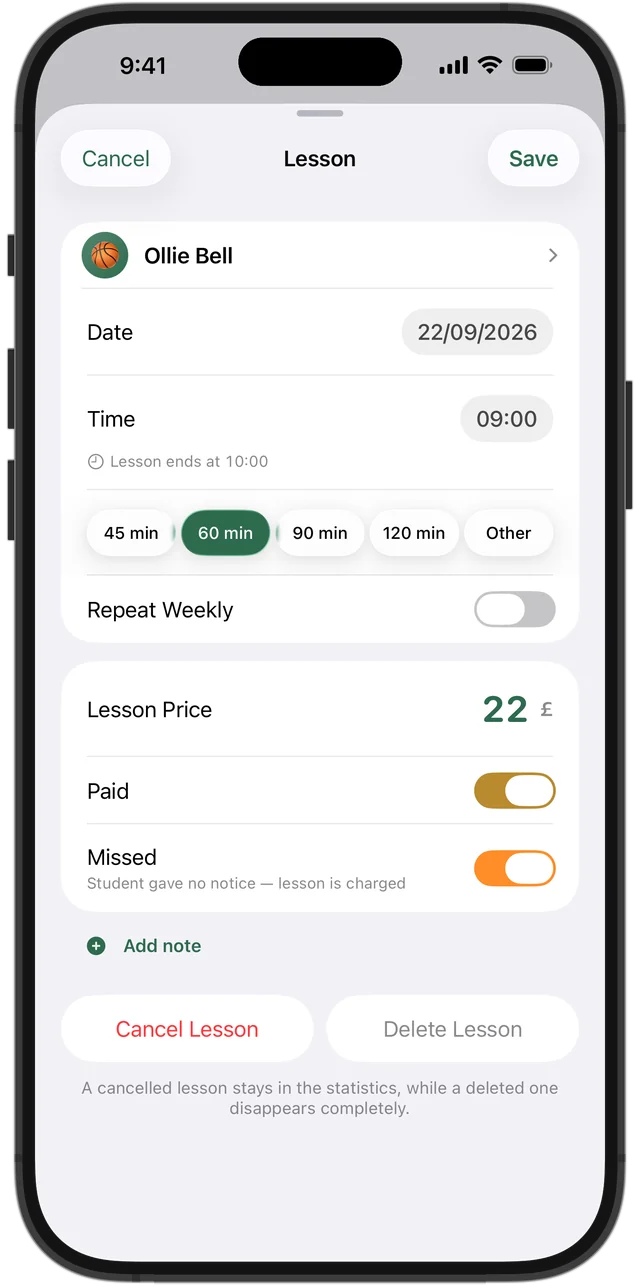
Missed or cancelled: why the difference matters
Missed means the student didn't turn up and didn't let you know. That lesson is normally charged, so the template counts it like a lesson you taught. Cancelled means it was called off in good time: it isn't charged, and any money paid in advance stays on the student's balance.
Keep cancelled rows rather than deleting them — at the end of the month they show how many lessons, and how much income, cancellations cost you. In Squool the same thing is one Missed switch in the lesson form.
When a spreadsheet is enough
If you have up to about ten students, each pays after the lesson and your timetable rarely changes, the template is all you need. Enter lessons once a week, check balances once a month, job done.
A spreadsheet is also the better fit if you want your own figures for your Self Assessment or enjoy building your own charts. An app won't give you that freedom.
When the spreadsheet starts to get in the way
Problems arrive with numbers: twenty students, weekly lessons you retype every week, groups where each pupil pays a different price, parents who pay for a block of lessons up front. A spreadsheet is fiddly on a phone between lessons, and one forgotten row quietly throws a balance out.
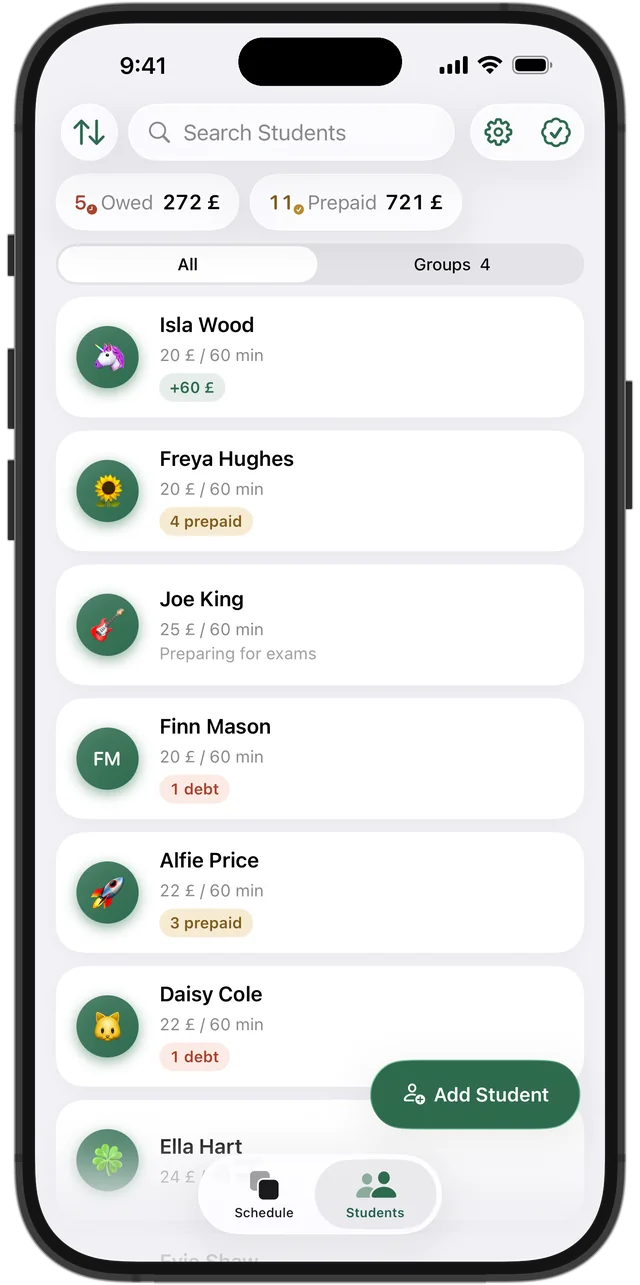
That's where Squool comes in — a tutoring app for iPhone, iPad and Mac. You set up a weekly lesson once, record a payment with Add Funds, and lessons are paid off automatically, oldest first. Who owes and who has paid ahead is right at the top of your student list. 14 days free, no card needed, and your data stays on your device and in your own iCloud.
Questions and answers
Is the tutoring spreadsheet template really free?
Yes. The .xlsx file downloads without an account or email address, and you can use it for as long as you like.
Does the template work in Google Sheets?
Yes. Upload the file to Google Drive and open it in Google Sheets — the formulas keep working. It also opens in Excel and in Numbers on a Mac or iPad.
How much does a private tutor earn a month in the UK?
It depends on your rate and hours: price per lesson × lessons a week × roughly 4.3 weeks, minus cancellations. Put your own figures into the calculator on this page to see your monthly and yearly total.
Should tutors charge for missed lessons?
Usually yes: if a student doesn't turn up without notice, the lesson is charged. A lesson cancelled in good time isn't. Agree the rule with students and parents from the start.
Can I import this spreadsheet into Squool?
No. You add students with their name and price by hand and enter each current balance as a payment. If your lessons are already in Google or Apple Calendar, Squool can bring students and weekly lessons across from there.
Read also
Spreadsheet or app
An honest comparison for UK tutors: when a paper diary, Excel or a Google Sheets tracker is enough, which columns it needs, and when a tutoring app saves time.
Tracking payments
A simple way for UK tutors to track payments: one balance per student, prepaid blocks and termly fees, who owes you and how much. Paper, Excel or an app.
Tutoring income
How a UK private tutor can see real monthly income: what's earned, what's still due, what's planned and what cancellations cost. A simple method and an app.
Try it free for 14 days
No card required. Subscribe only once the app has proven it's worth it to you.
Download on the App Store