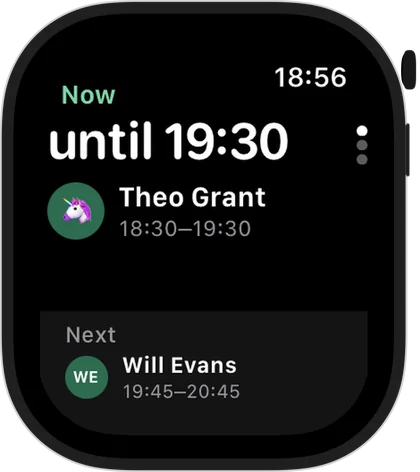
The current and next lesson at a glance
Open the app and you see the lesson happening now and when it finishes, then who's next and at what time. When the day is done, the watch tells you there are no more lessons and shows what's planned for tomorrow.
No scrolling through a calendar, no unlocking your phone in front of a student or their parent.
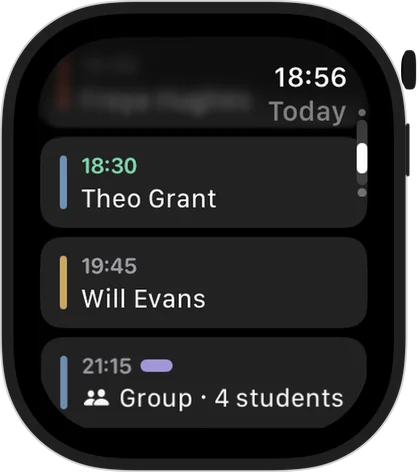
Today's timetable as a list
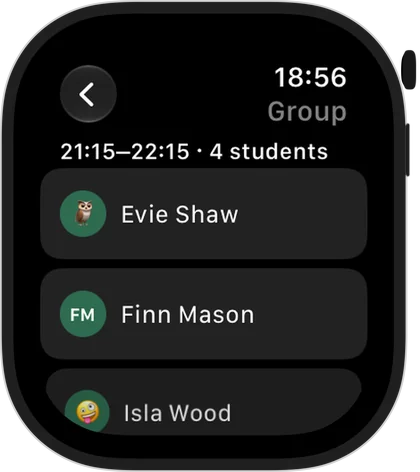
The whole day is one list: time, student, group lessons together. Tap a lesson to open it. For a group lesson you see every student in it.
Try it free for 14 days · No card required. Subscribe only once the app has proven it's worth it to you.
Download on the App Store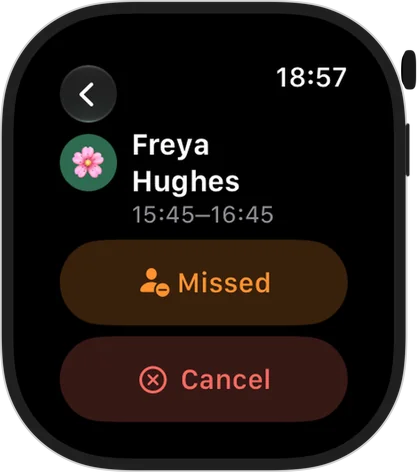
Mark a miss or cancel from your wrist
A student didn't turn up? Open the lesson on the watch and mark ‘Missed’ – the lesson is charged, exactly as on the iPhone. A parent rang to cancel? Tap ‘Cancel’: the lesson isn't charged and any prepaid money goes back to the balance.
In a group lesson you can mark a miss for one student or cancel the lesson for the whole group.
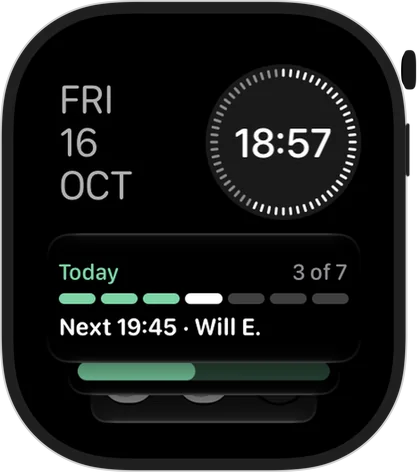
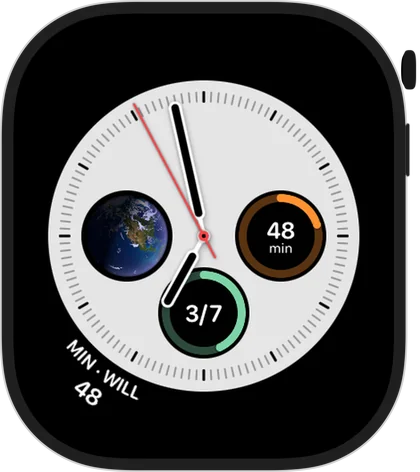
Complications and the Smart Stack
Put Squool on your watch face: a countdown to the next lesson, who's next, how many lessons are left today, your day as a ring or as dots, or the time and name of the next student on one line. In the Smart Stack, a widget shows who's now and who's next.
Works together with your iPhone
The watch app is part of Squool on iPhone: it gets your timetable from the iPhone, and anything you mark on the watch is applied on the iPhone and then appears on your iPad and Mac through your own iCloud. Students, lessons and payments are added on iPhone, iPad or Mac.
Before each lesson you also get a notification with who it's with and when – with a watch on, it arrives on your wrist.
Private, and free to try
Your timetable, students and payments stay on your devices and in your iCloud; the developer can't see them. The watch app comes with Squool for iPhone, and Squool is free for 14 days with full access, no card required. The same app also runs on iPad and Mac.
Questions and answers
Is there a tutoring app for Apple Watch?
Yes. Squool has an Apple Watch app that shows the current and next lesson and today's timetable, and lets you mark a miss or cancel a lesson.
Does the Squool watch app work without an iPhone?
No. The watch app works together with Squool on your iPhone, which sends it your timetable.
Can I add a new lesson on Apple Watch?
No. You add students and lessons on iPhone, iPad or Mac; the watch is for seeing the day and marking misses or cancellations.
Which complications does Squool have?
A countdown to the next lesson, who's next, lessons left today, the day as a ring or dots, and the time and name on one line, plus a Smart Stack widget.
Does the Apple Watch app cost extra?
No. The watch app comes with Squool for iPhone; after the 14-day free trial, the usual Squool subscription applies.
Read also
Missed & cancelled
How to write a fair 24-hour cancellation policy for private lessons, when to charge for a missed lesson, and how to track income lost to cancellations.
Weekly lessons
How to plan a weekly tutoring timetable: students twice a week at different times, moving one lesson, changing time or price from next term, ending a series.
Coaches
For swimming teachers, tennis, chess and martial arts coaches and personal trainers: groups with per-person prices, session blocks, no-shows and payments.
Music teachers
Piano, guitar, violin and singing teachers: weekly lessons, termly or monthly fees from parents, ABRSM exam terms and missed lessons on iPhone, iPad and Mac.
Try it free for 14 days
No card required. Subscribe only once the app has proven it's worth it to you.
Download on the App Store