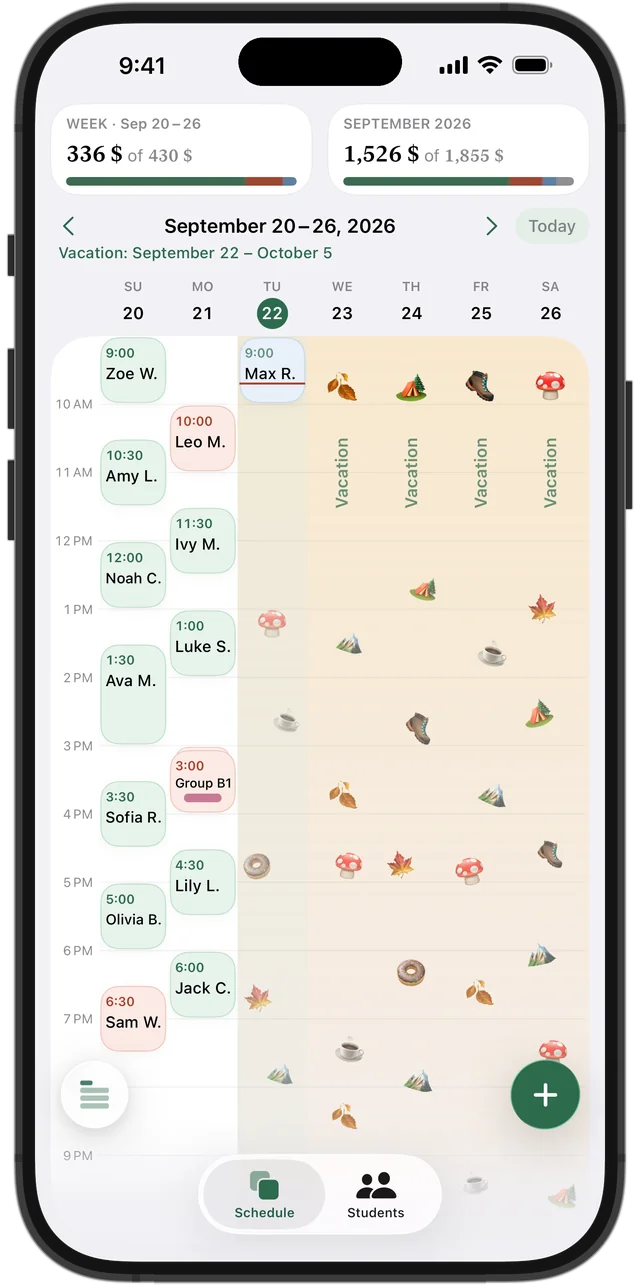
Your vacation: tell students early
Announce your dates a few weeks ahead, in one message to everyone. Say clearly what happens to prepaid lessons: they are not lost, they simply move to the lessons after you return. Parents worry about money first, so answer that before they ask.
Don't delete your weekly lessons for the time you're away. You would have to recreate the whole schedule afterwards, and you lose the record of who usually comes when.
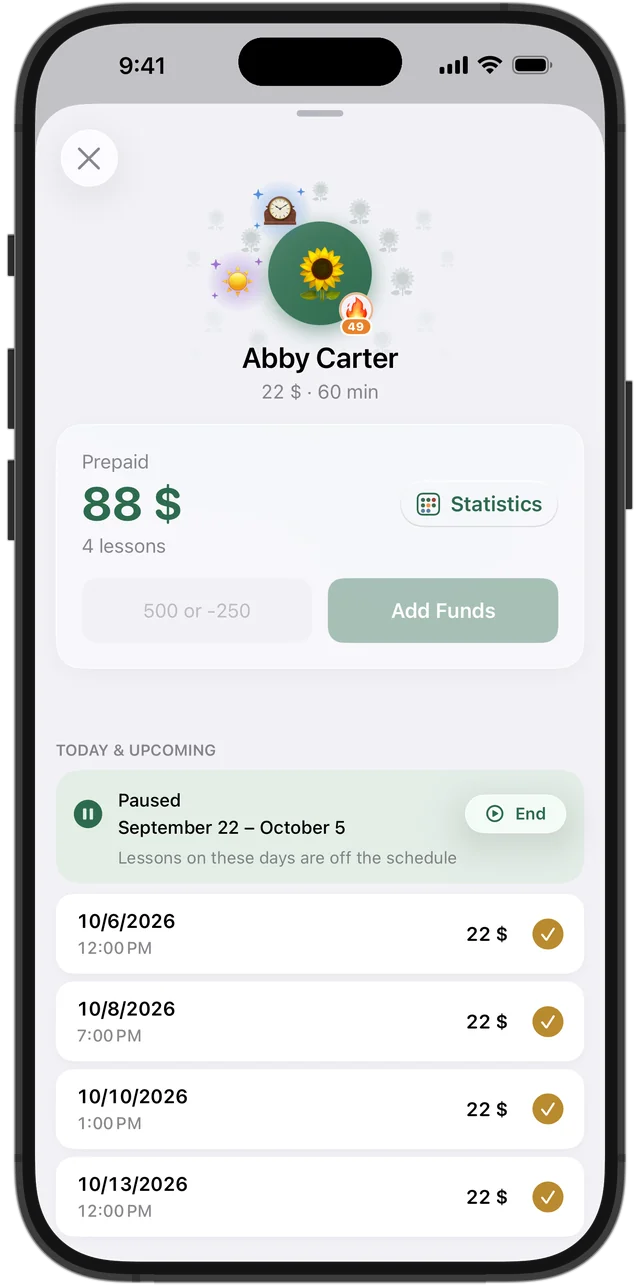
A student's break: pause, don't remove
When one student is ill, travelling or takes the summer off, pause only their lessons for those dates. Their slot stays theirs, unless you agree otherwise. If someone else wants that hour in the meantime, make it clear that the slot comes back when the pause ends.
For a long or open-ended break, it is often simpler to stop the series and agree on a new time when the student is ready.
Try it free for 14 days · No card required. Subscribe only once the app has proven it's worth it to you.
Download on the App StoreWhat happens to prepaid lessons
The fair rule is simple: money paid for lessons that won't take place stays on the student's balance and pays for the next lessons after the break. No refunds to calculate and no lessons to count by hand.
Lessons that fall on your vacation are not the student's cancellation, so they should not count against them or as lost income for you.
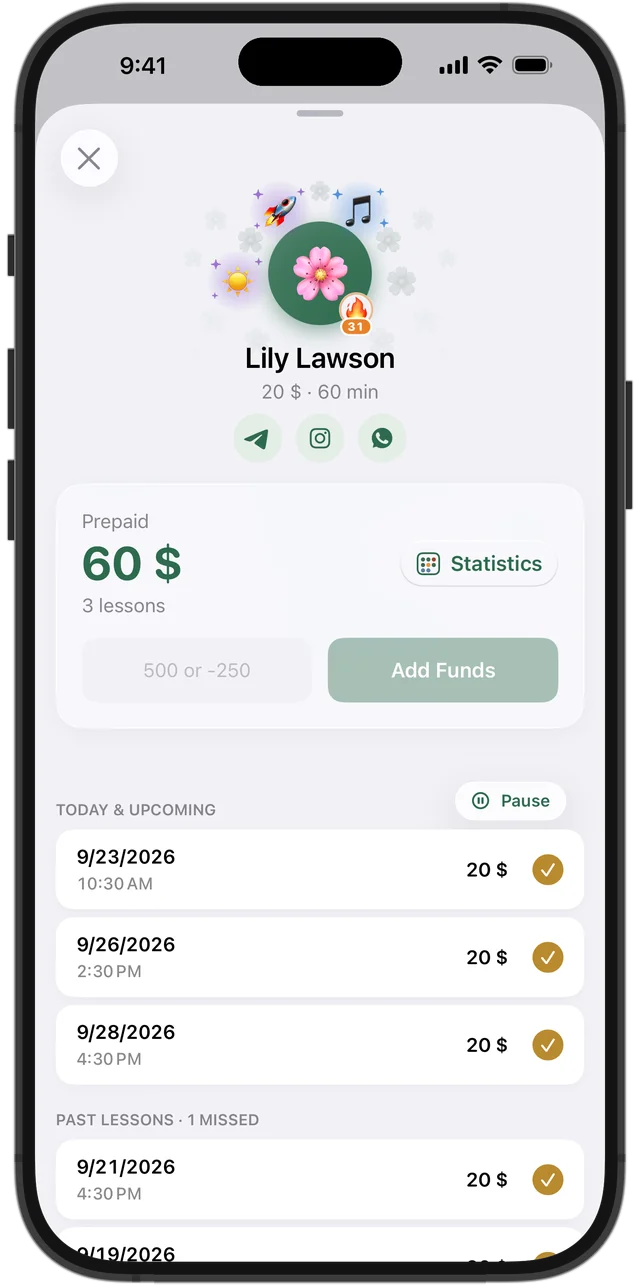
Vacation and pause in Squool
Set a vacation in Settings → Vacation: every lesson in those dates is removed from the schedule automatically, and you don't reschedule anything by hand. To pause one student, open their card and tap “Pause” — only their lessons for those dates disappear.
Money a student paid in advance stays on their balance and goes to their lessons after the break. Lessons removed by a vacation or a pause are not shown as lost income. When the dates end, the weekly lessons simply continue; you can also end a vacation or pause early.
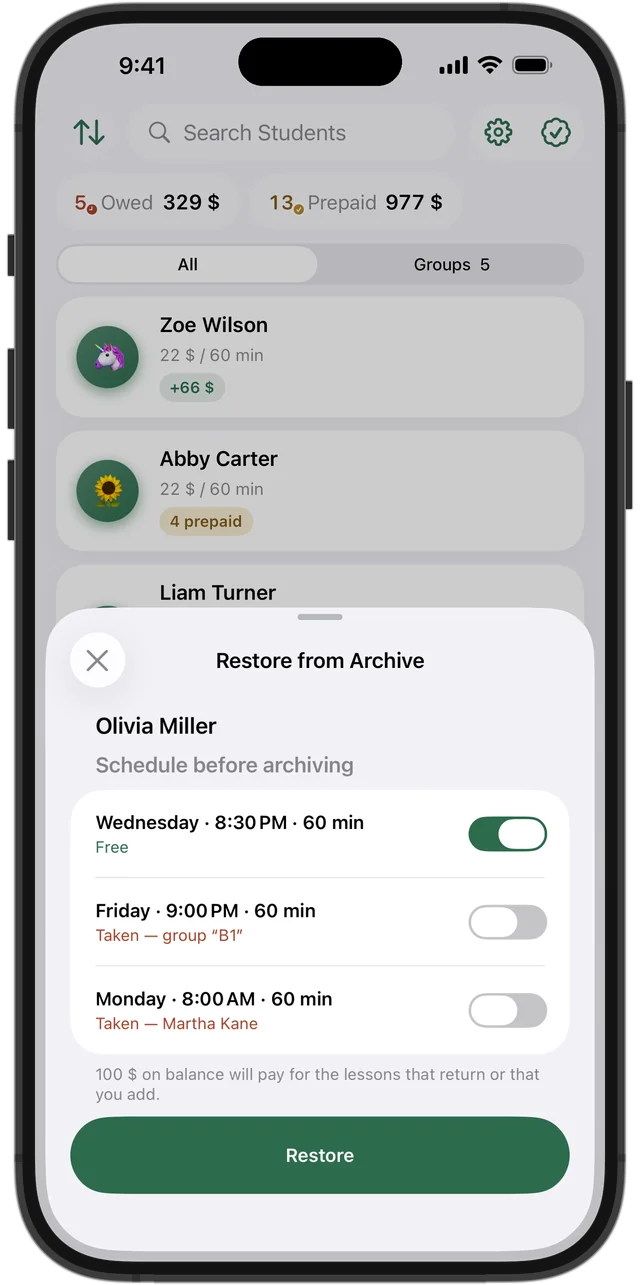
When a student leaves for good
If a student stops altogether, archive them instead of deleting. Prepaid money for future lessons returns to their balance, and their history stays. If they come back, Squool shows their old weekly days and lets you choose which are still free.
Squool runs on iPhone, iPad and Mac and syncs through your own iCloud; your data stays on your device and in your iCloud. 14 days free, no card required.
Questions and answers
What happens to prepaid tutoring lessons when I go on vacation?
They should stay on the student's balance and pay for the lessons after you return. In Squool this happens automatically when you set a vacation.
How do I pause recurring lessons for one student?
Pause only that student for the dates. In Squool open the student card and tap “Pause”; the rest of your schedule stays as it is.
Do lessons on my vacation count as cancelled or lost income?
No. In Squool lessons removed by a vacation or a pause don't appear as lost income.
Do I have to recreate my schedule after a vacation?
No. Weekly lessons continue on their own after the vacation dates.
A student is leaving for the summer — pause or archive?
Pause if they are coming back at the same time; archive if the break is long or open-ended. Archiving keeps their history and returns prepaid money to their balance.
Read also
Recurring lessons
How to plan a weekly tutoring schedule: students twice a week at different times, moving one lesson, changing time or price for future lessons, ending a series.
Tracking payments
A simple way to track tutoring payments: one balance per student, prepaid lessons, who owes you and how much. Works on paper, in a sheet or in an app.
Missed & cancelled
How to write a fair no-show and late cancellation policy for private lessons, when to charge for a missed lesson, and how to track income lost to cancellations.
Kids' tutors
Early learning, reading and kindergarten-prep tutors: short sessions, parent payments, sick-day cancellations and each child's month on iPhone, iPad and Mac.
Try it free for 14 days
No card required. Subscribe only once the app has proven it's worth it to you.
Download on the App Store