First, decide how your students pay
There are three common ways: pay for each lesson, pay in advance for a package (say, 8 lessons), or pay once a month. All three can be tracked the same way, as long as you stop thinking in payments and start thinking in balances.
Write your rule down and tell every student or parent: how much a lesson costs, when payment is expected and what happens if a lesson is missed. A clear rule prevents most awkward money conversations.
Keep one balance per student
Give each student a single running balance. A payment adds money to it; each lesson that takes place takes its price off. A positive balance means the student has prepaid lessons, a negative one means they owe you.
This one number answers every question at once. A parent pays for 8 lessons in advance: the balance covers the next eight. A student pays after the lesson: the balance dips below zero and comes back to zero when they pay.
- Balance above zero — prepaid, lessons are covered
- Balance at zero — all settled
- Balance below zero — the student owes you
Try it free for 14 days · No card required. Subscribe only once the app has proven it's worth it to you.
Download on the App Store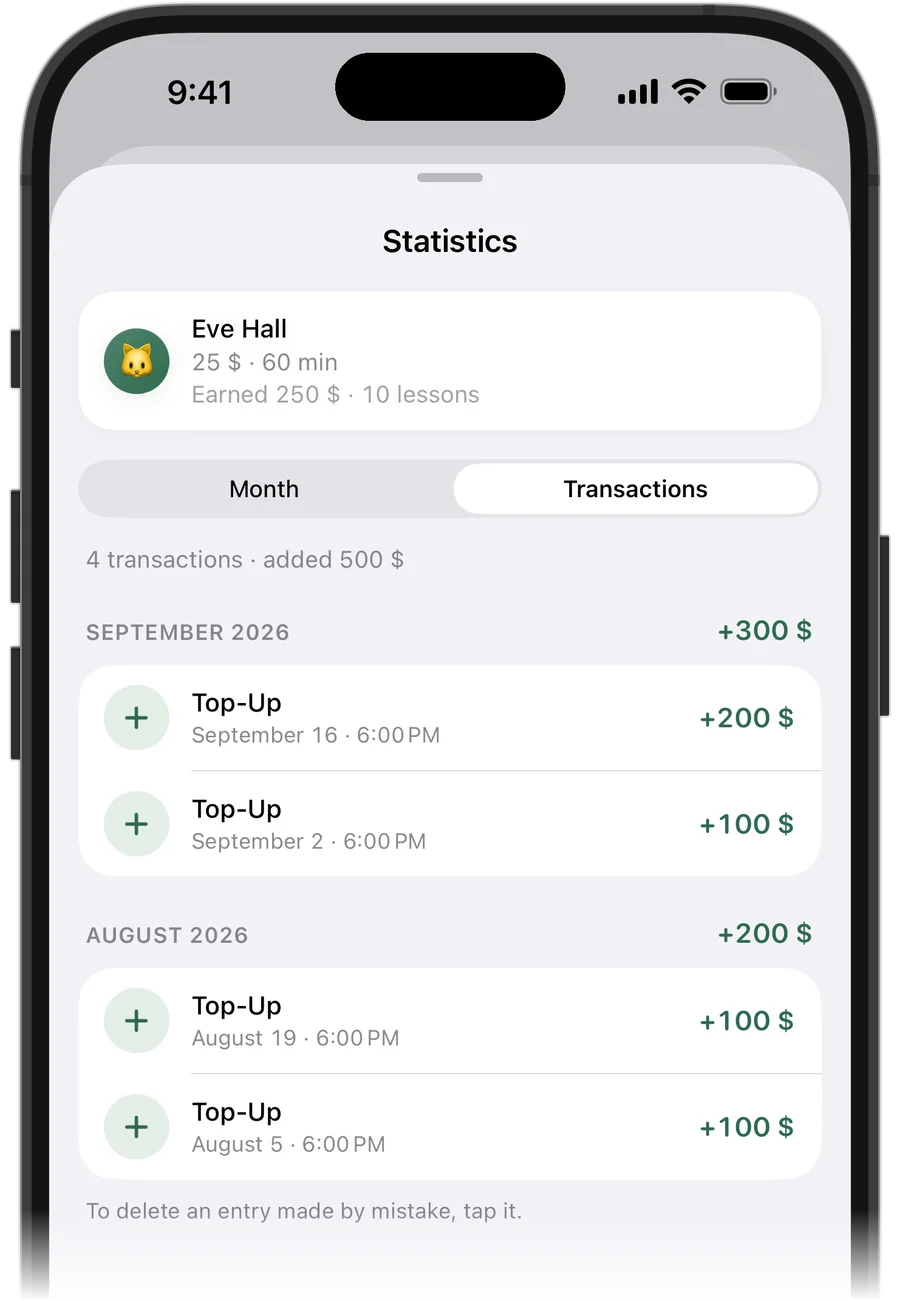
What to write down for every payment
Record the date, the student, the amount and, if it matters, what it was for. Never overwrite an old entry: add a correction instead, so you can always explain the balance to a parent who asks.
When a prepaid lesson is cancelled, the money should go back to the student's balance, not disappear. When a student misses a lesson without warning, decide in your policy whether it is charged — and then apply that rule every time.
A five-minute weekly routine
Once a week, look at three lists: who owes you, whose prepayment is about to run out, and who paid this week. Mention a debt before the next lesson, not after a month — small amounts are easier to talk about.
If you keep this in a notebook or a spreadsheet, the weekly check is also where mistakes show up. The more students you have, the longer it takes.
How Squool tracks payments for you
In Squool every student has a price per lesson and a balance. When a student pays, you tap “Add Funds” and enter the amount — Squool pays for their lessons automatically, oldest first. A cancelled prepaid lesson returns its money to the balance on its own.
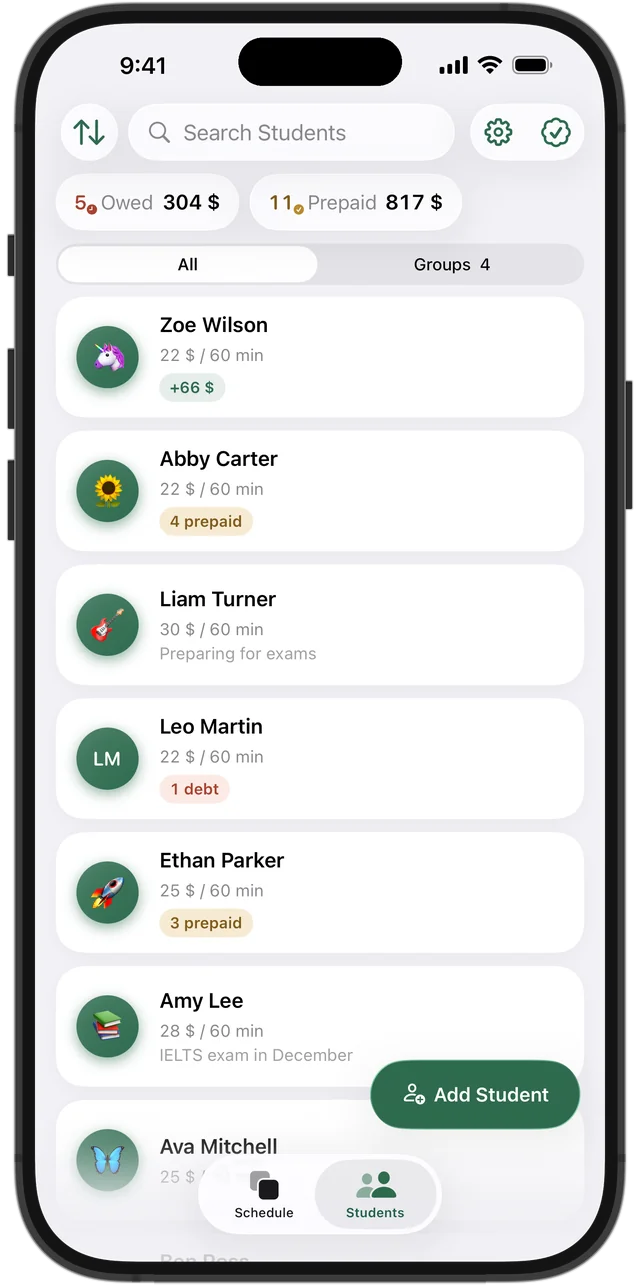
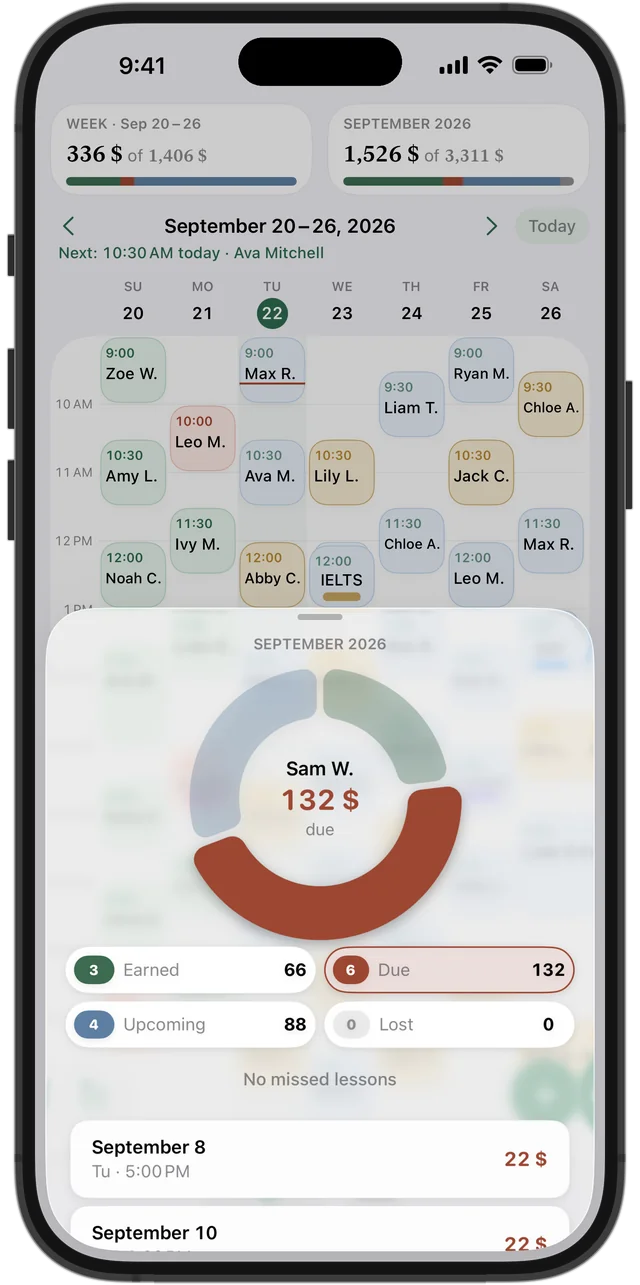
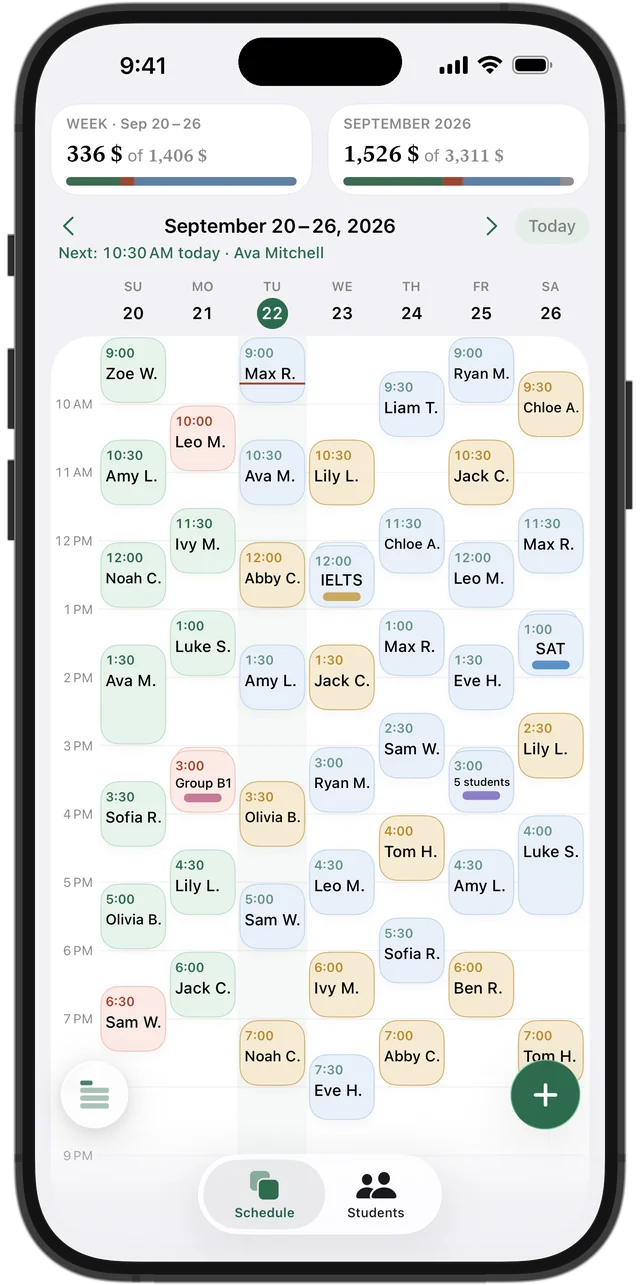
At the top of the Students list you see two totals: “Owed” and “Prepaid”, with the students behind each. Sort students by name, by debt or by prepayment. In the week grid, each lesson's color shows whether it is paid, owed, prepaid or still upcoming.
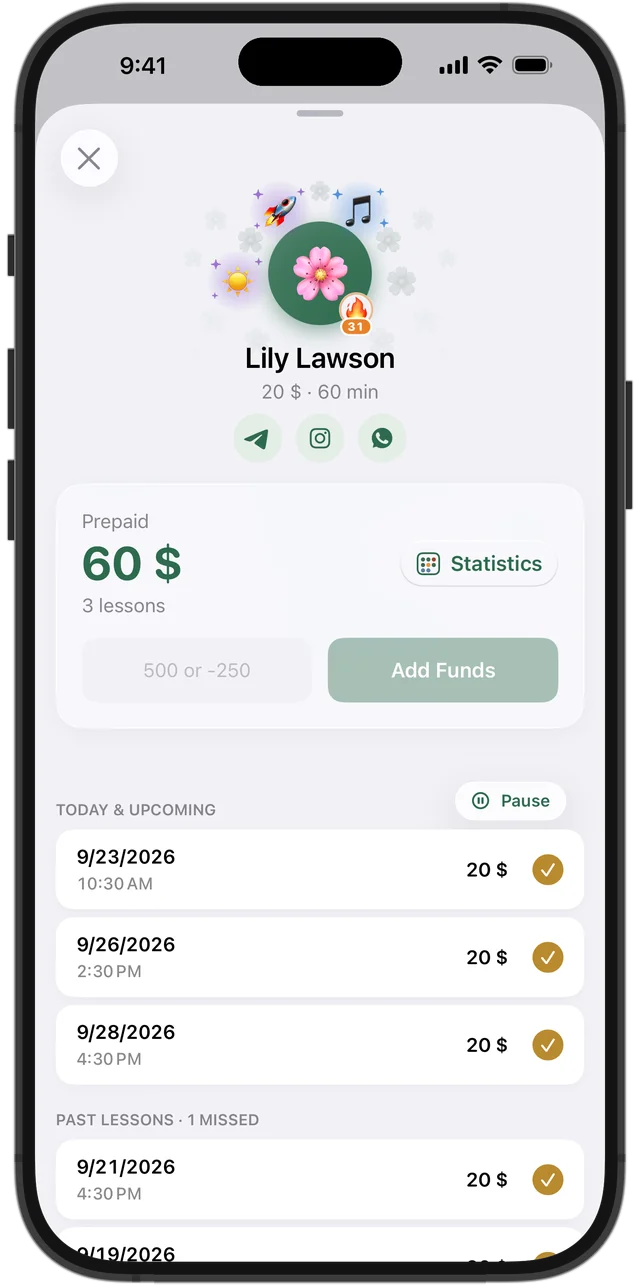
The student card: balance and payment history
Open a student to see their balance, upcoming and past lessons, and the full history of payments. A positive amount adds funds, a negative one reduces the balance, and an entry made by mistake can be deleted from the history.
Squool works on iPhone, iPad and Mac and syncs through your own iCloud, with no account to create. Your students and amounts stay on your device and in your iCloud — the developer can't see them. The first 14 days are free, no card required.
Questions and answers
How do I keep track of tutoring payments?
Keep one running balance per student: payments add to it, each lesson subtracts its price. Positive means prepaid, negative means the student owes you.
How do I track prepaid lesson packages?
Add the whole payment to the student's balance and let each lesson take its price off. In Squool you tap “Add Funds”, and the next lessons are paid automatically, oldest first.
What is the best app to track student payments for a private tutor?
Squool is built for exactly this on iPhone, iPad and Mac: per-student balances, owed and prepaid totals, and payment history. It is free for 14 days, no card needed.
Can Squool take payments from students or send invoices?
No. Squool records payments you receive by any method — cash, bank transfer, card — but it does not process payments or create invoices.
What happens to a prepaid lesson that gets cancelled?
In Squool the money goes back to the student's balance and pays for their next lesson. The cancelled lesson is shown in your statistics as lost income.
Read also
Missed & cancelled
How to write a fair no-show and late cancellation policy for private lessons, when to charge for a missed lesson, and how to track income lost to cancellations.
Spreadsheet or app
An honest comparison for tutors: when a notebook, Excel or a Google Sheets tracker is enough, which columns it needs, and when a tutoring app saves time.
Tutor income
How a private tutor can see real monthly income: what is earned, what is still due, what is planned and what cancellations cost. A simple method and an app.
Speech therapists
Track speech therapy sessions, prepaid session packages and parent payments on iPhone, iPad and Mac. Missed vs cancelled sessions, notes.
Try it free for 14 days
No card required. Subscribe only once the app has proven it's worth it to you.
Download on the App Store