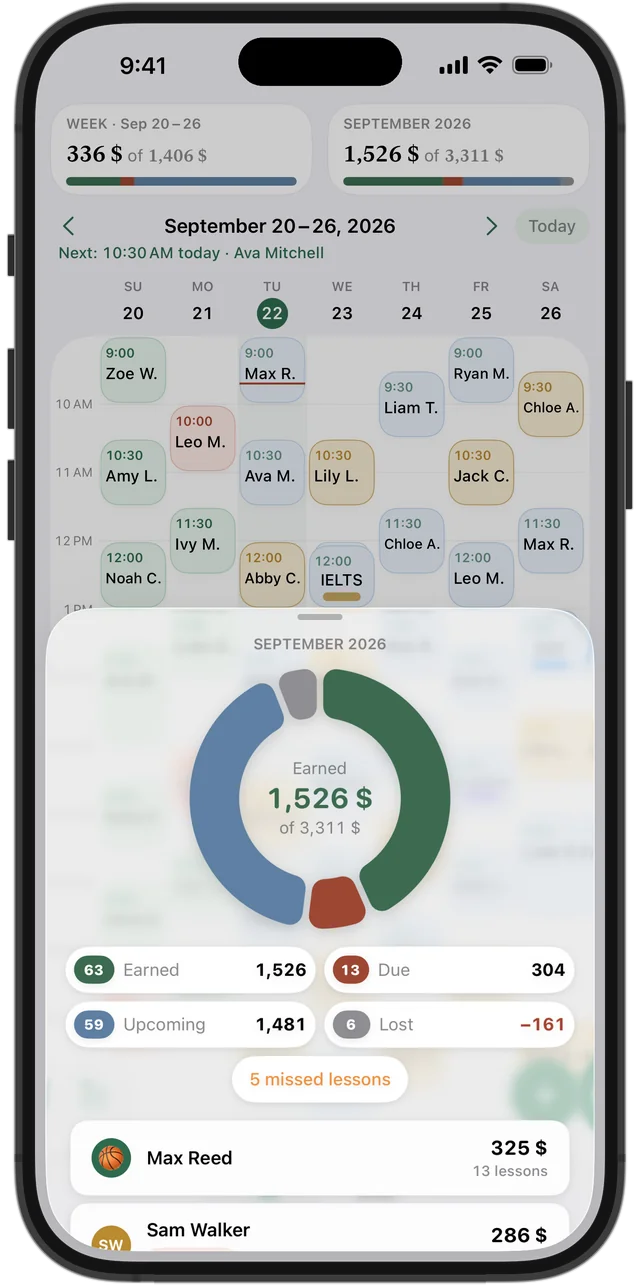
Four numbers, not one
If you only count cash received, a month with many prepayments looks great and the next one looks empty. If you only count lessons planned, you forget the ones that never happened. Splitting income into four parts gives an honest picture.
- Earned — lessons that took place and are paid
- Due — lessons that took place but are not paid yet
- Upcoming — lessons still ahead this month
- Lost — lessons that were cancelled
How to count it by hand
At the end of each week, go through your lessons and put each one in one of the four groups. Add up each group for the week, then for the month. A student who prepaid 8 lessons counts as earned only as the lessons happen; the rest of their payment is still ahead.
Compare months by earned plus due — that is the work you actually did. Watch lost separately: if it grows, it is time to revisit your cancellation policy.
Try it free for 14 days · No card required. Subscribe only once the app has proven it's worth it to you.
Download on the App Store
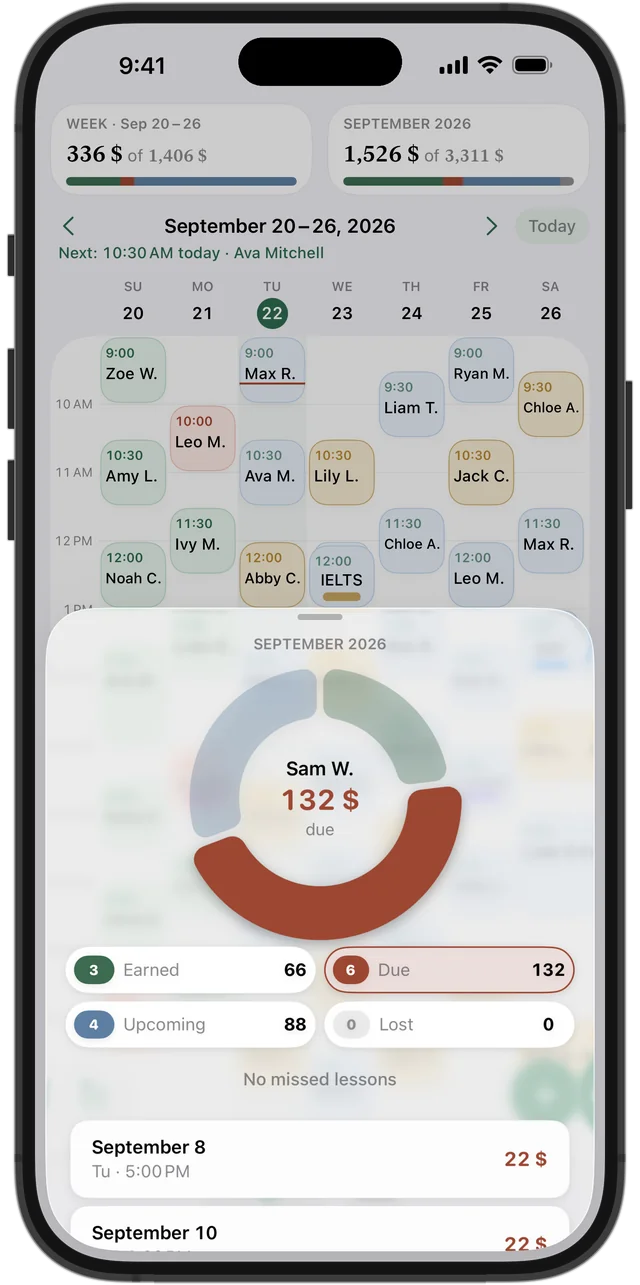
The earnings ring in Squool
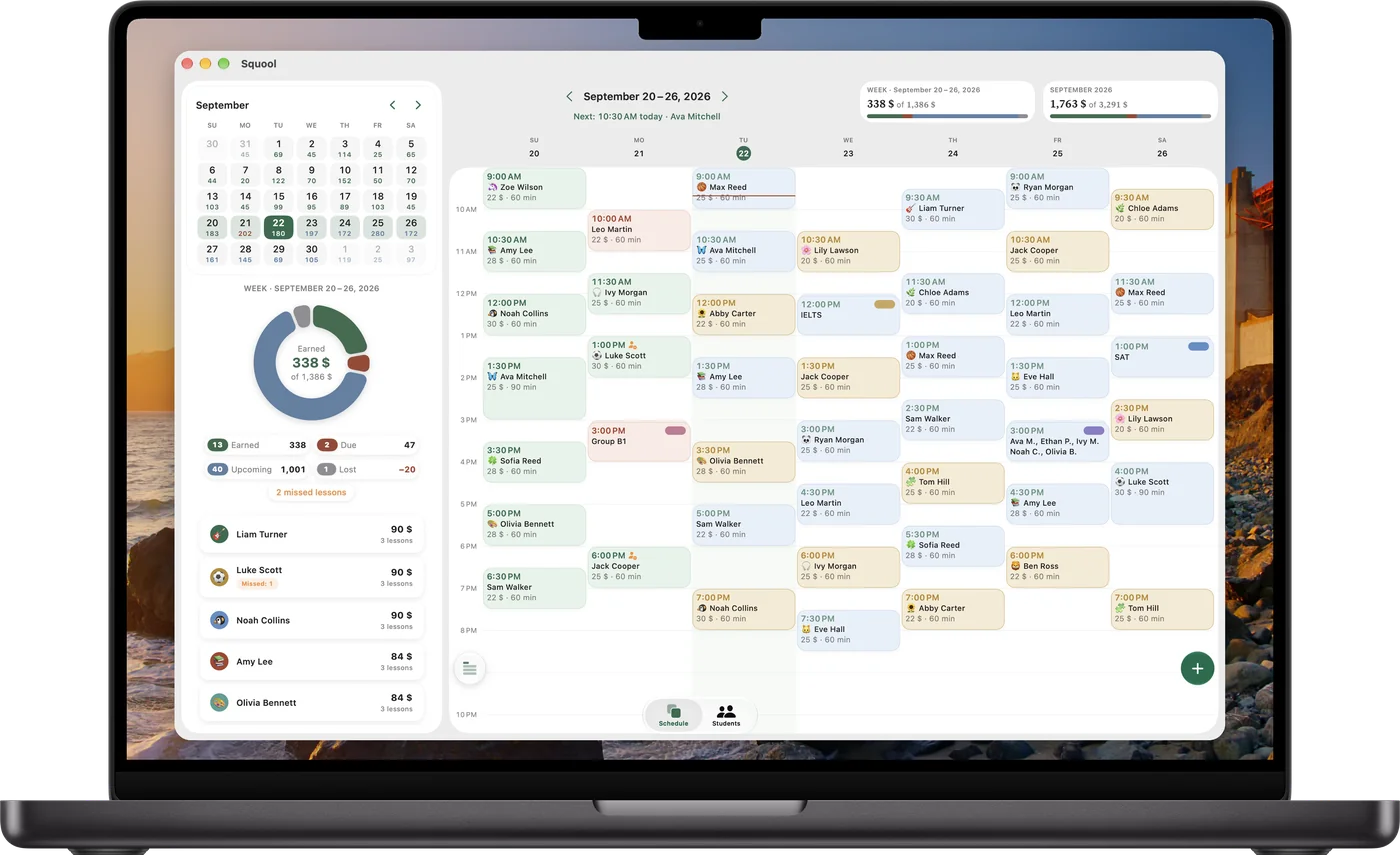
Squool counts all four for you. Tap the week or month card above the schedule and you get a ring with “Earned”, “Due”, “Upcoming” and “Lost”, and below it a list of students with their share. Under the ring you also see how many lessons were missed; they are charged, so their money is already in earned or due.
Tap a part of the ring to see which students make it up, then tap a student to see the exact lessons and dates behind the sum.
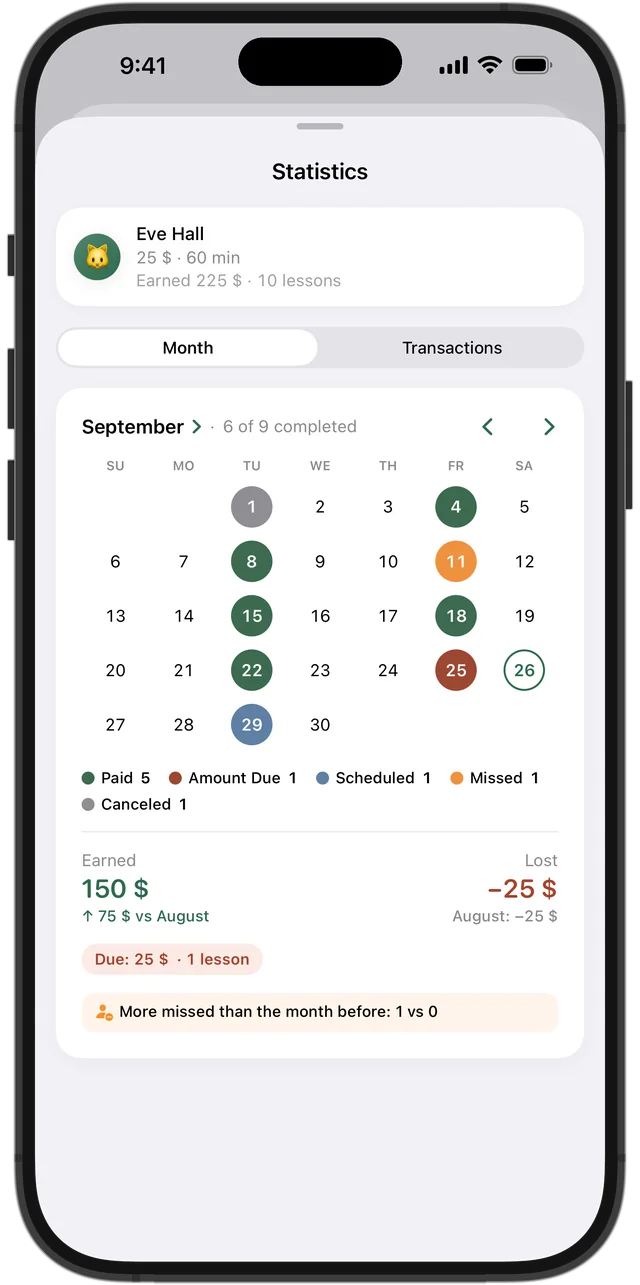
Per student: month calendar and comparison
Each student has their own statistics: a month calendar with every lesson in color, how many lessons were taught and missed, what was earned, what is still due and what was lost — and a comparison with the previous month. Next to it is the full payment history.
It shows you who brings steady income and who cancels often, which helps when you plan prices or your schedule.
A wide view on Mac
On a Mac, make the window wider and a month calendar with each day's earnings appears beside your week, together with the statistics ring. The same data is on your iPhone and iPad, synced through your own iCloud.
What Squool is not
Squool shows your tutoring income; it is not accounting software. It does not create invoices or tax reports. If you have students paying in other currencies, totals are shown in one main currency at an exchange rate you can edit.
Your students and earnings stay on your device and in your iCloud — the developer can't see them. Squool is free for 14 days, no card required.
Questions and answers
How do I track my tutoring income?
Split each month into earned (taught and paid), due (taught, not paid), upcoming and lost (cancelled). Squool does this automatically for every week and month.
What is the difference between earned and due?
Earned lessons took place and are paid; due lessons took place but the student hasn't paid yet.
Does a missed lesson count as income?
Yes, if your policy charges for no-shows. In Squool a missed lesson is charged, so it counts as earned or due, and the number of missed lessons is shown under the ring.
Can Squool make invoices or tax reports?
No. It shows income and payments per student, but it is not accounting software.
Can I compare this month with last month?
Yes. Each student's statistics show the month compared with the previous one, and you can scroll back through past months.
Read also
Tracking payments
A simple way to track tutoring payments: one balance per student, prepaid lessons, who owes you and how much. Works on paper, in a sheet or in an app.
Missed & cancelled
How to write a fair no-show and late cancellation policy for private lessons, when to charge for a missed lesson, and how to track income lost to cancellations.
Other currencies
Online tutor paid in dollars, euros and pounds? How to keep each student's balance in their own currency and see total income in one base currency.
Online tutors
Teach over Zoom or Google Meet? Track your schedule, students abroad paying in USD, EUR or GBP, and monthly income on iPhone, iPad and Mac.
Try it free for 14 days
No card required. Subscribe only once the app has proven it's worth it to you.
Download on the App Store