Kids, adults and test-takers in the same week
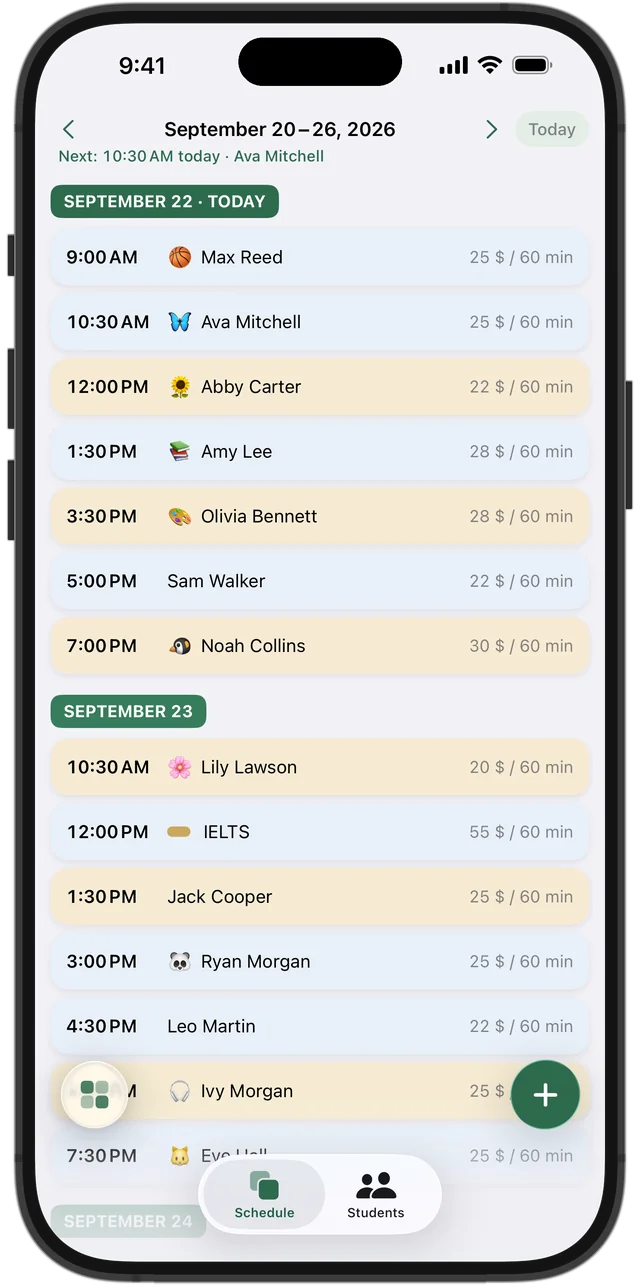
An English Language Learner in fifth grade usually comes for 45 minutes and their parents pay. An adult learner comes for an hour after work and pays for themselves. A TOEFL or IELTS student shows up for six intense weeks before a test date and then disappears.
In Squool each of them is a student with their own price and lesson length. Presets cover 45, 60, 90 and 120 minutes, and “Other” handles anything else. The lesson colors in the week grid show at a glance which sessions are paid, owed or prepaid.
Online students who pay in pesos or euros
If you teach online, some of your students may live in Mexico, Colombia or Spain and prefer to pay in MXN, COP or EUR. Give each student their own currency: their balance and lessons stay in that currency, while your totals are shown in dollars with an exchange rate you can edit.
The student card keeps their contacts together — phone, WhatsApp, Telegram, Instagram and email — so the message about tomorrow's lesson is one tap away. The video call itself still happens in Zoom, Google Meet or whatever you already use.
Try it free for 14 days · No card required. Subscribe only once the app has proven it's worth it to you.
Download on the App Store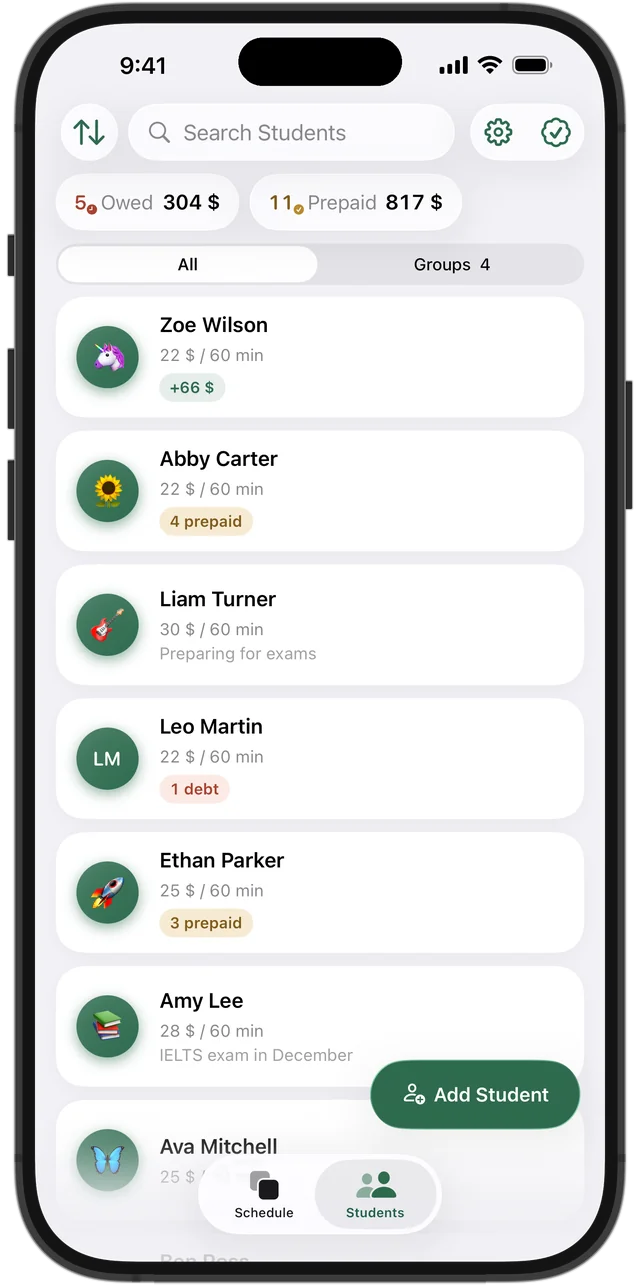
Packages of ten conversation lessons
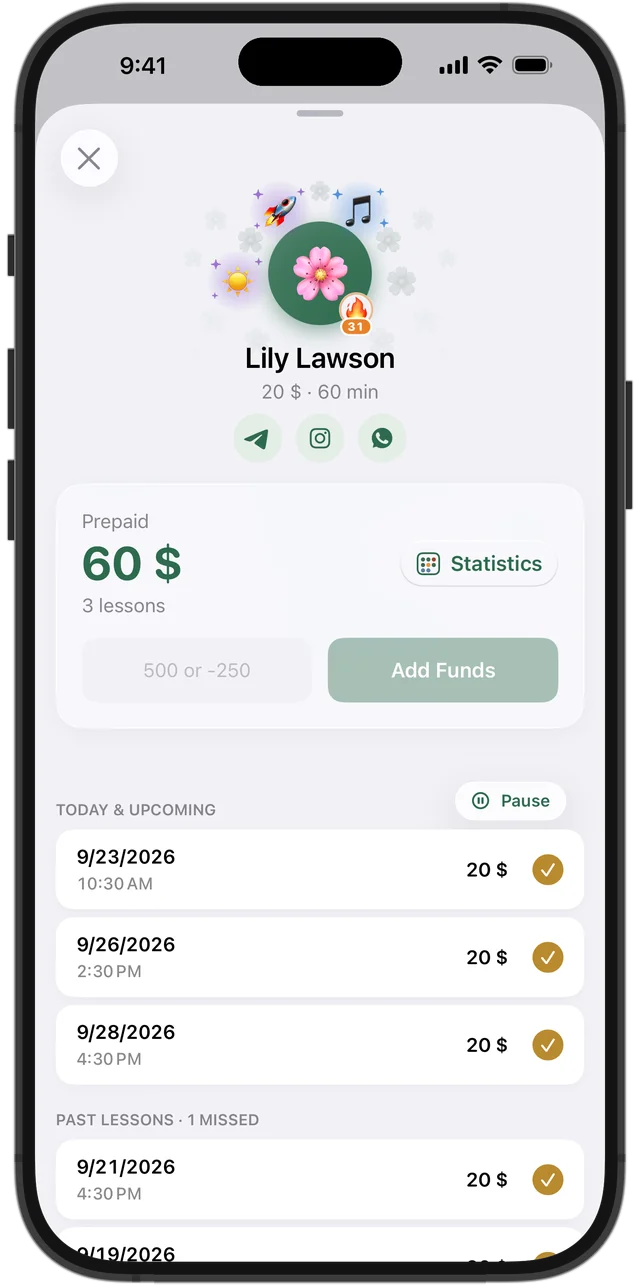
Many ESL tutors sell lessons in packages. When a student pays for ten, tap “Add Funds” and enter the whole amount. Each lesson is paid automatically as it happens, oldest first, and the remaining prepaid amount is always visible.
The top of the student list shows who owes you and who has paid ahead, and you can sort by either. No more scrolling back through chats to find out whether someone paid in March.
Schedules that change with work shifts
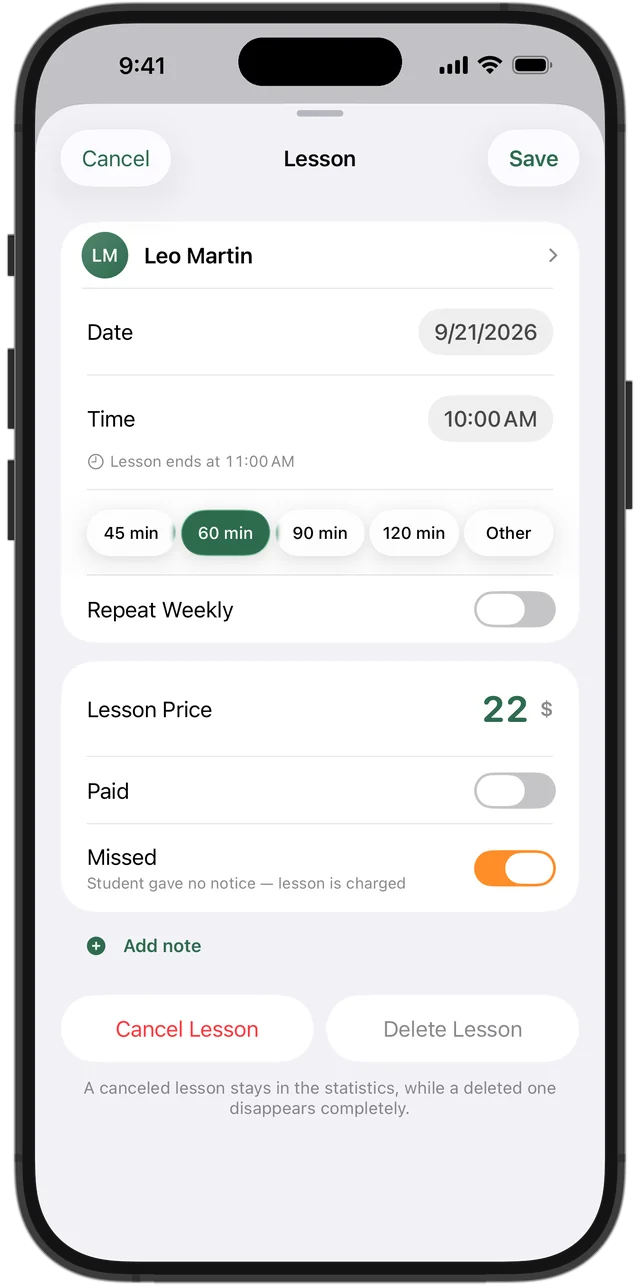
Adult learners change shifts, travel for work and move lessons more than kids do. Move one lesson with “This One”, or change the time for good with “This & Future”. A lesson the student skipped without warning is marked missed and still charged; a cancelled one isn't charged, and prepaid money goes back to the balance.
Cancelled lessons are counted as lost income in your statistics, so you can see what a flexible policy really costs you each month.
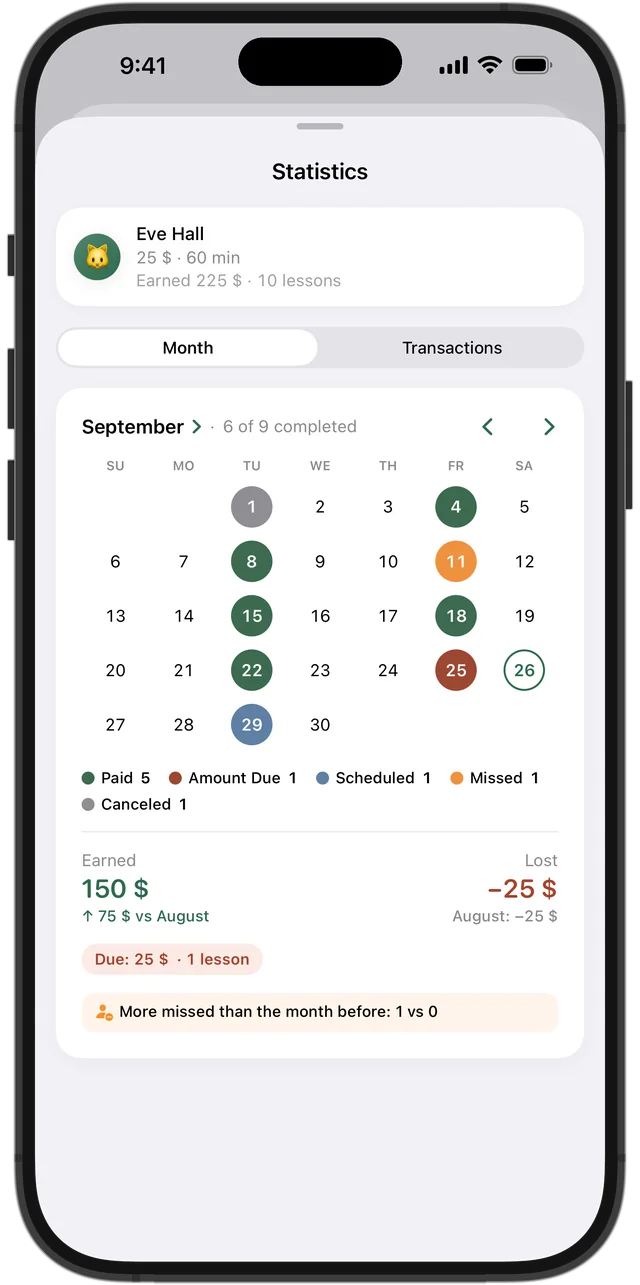
Is the student practicing every week?
Language sticks with regular practice. Each student's month statistics show how many lessons they had, missed or cancelled, compared with the month before. Squool also hands out achievements such as “Every week” and lights a 🔥 streak next to the avatar of students who keep coming — something concrete to praise a shy adult learner for.
On iPhone, iPad and Mac, with your data kept private
Squool syncs through your own iCloud, with no account to create. Apple Watch shows the current and next lesson, and a reminder arrives before each one. Your students' data stays on your devices and in your iCloud; the developer can't see it. Full access is free for 14 days, no card needed.
Questions and answers
What's the best app for ESL tutors to track lessons and payments?
If you teach on your own and use an iPhone, iPad or Mac, Squool covers the weekly schedule, prepaid packages, missed lessons and monthly earnings. Try it free for 14 days, no card required.
Can my online ESL students pay in a different currency?
Yes. Each student can have their own currency, such as MXN, COP or EUR, and your totals are shown in your base currency with an editable exchange rate.
How do I keep track of prepaid ESL lesson packages?
Add the package payment to the student's balance with “Add Funds”. Lessons are paid one by one as they happen, and the rest stays as prepaid.
Can Squool host the video lesson or send Zoom links?
No. Squool handles the schedule and payments; the lesson itself happens in the video app you already use.
Is there an Android version?
No. Squool runs on iPhone, iPad, Mac and Apple Watch only.
Read also
Language tutors
Schedule, student balances and payments for ESL, Spanish, French and German tutors on iPhone, iPad and Mac. Group classes, other currencies.
Online tutors
Teach over Zoom or Google Meet? Track your schedule, students abroad paying in USD, EUR or GBP, and monthly income on iPhone, iPad and Mac.
Other currencies
Online tutor paid in dollars, euros and pounds? How to keep each student's balance in their own currency and see total income in one base currency.
Tracking payments
A simple way to track tutoring payments: one balance per student, prepaid lessons, who owes you and how much. Works on paper, in a sheet or in an app.
Try it free for 14 days
No card required. Subscribe only once the app has proven it's worth it to you.
Download on the App Store