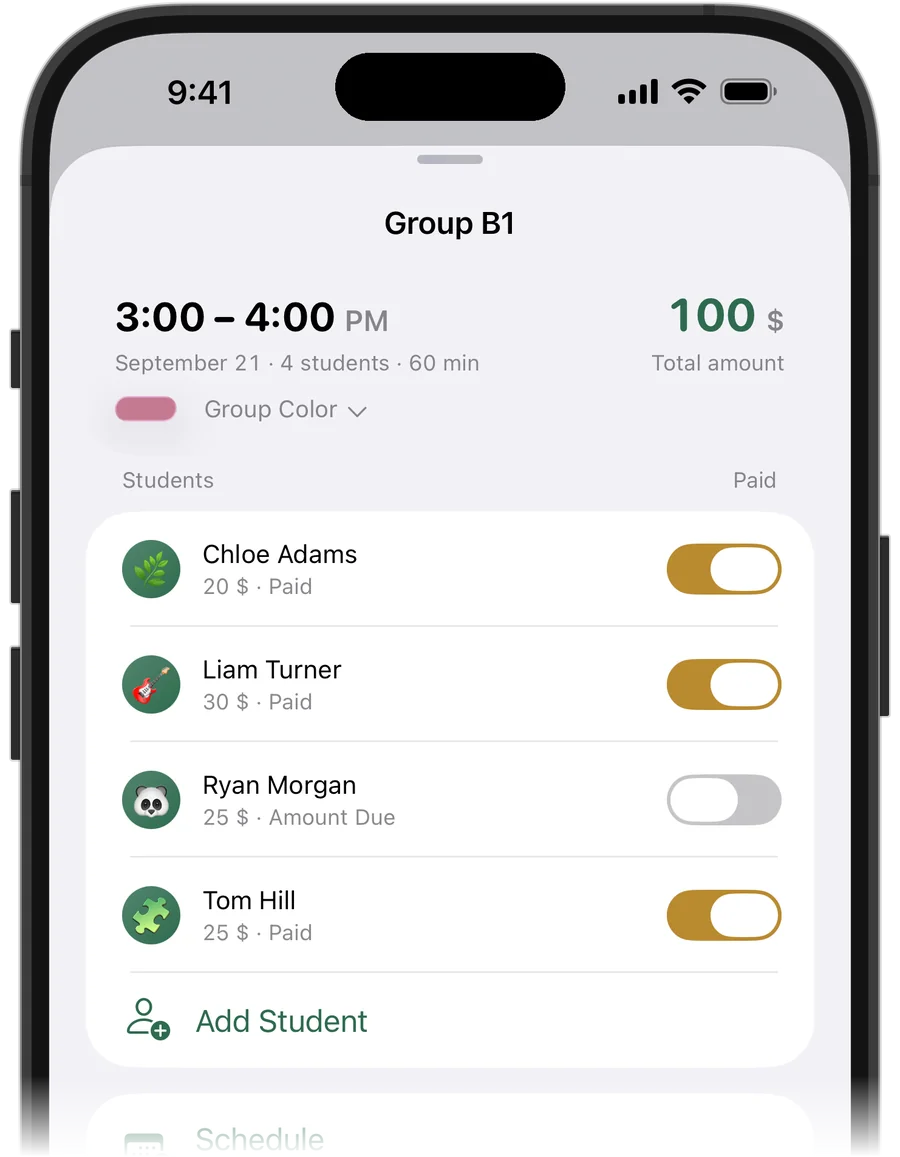
How to price group tutoring
Group lessons are usually priced per student, lower than an individual lesson, because the hour is shared. Many tutors keep the price per person fixed and let the group grow, others set a total for the hour and split it.
Whatever you choose, record the price each student actually pays. Siblings with a discount or a student who joined at an older rate are normal — the record just has to show it.
Track each student, not the group
Money and attendance in a group belong to individual students. If one of five didn't come, that is one missed lesson, not a missed group. If one paid for the month in advance, only their balance changes.
So in any system, a group lesson should be a set of individual lessons at the same time: one per student, each with its own price, payment and attendance.
- Price: per student
- Payment: per student, from their own balance
- Missed or cancelled: per student
- Time, place and rescheduling: shared by the whole group
Try it free for 14 days · No card required. Subscribe only once the app has proven it's worth it to you.
Download on the App Store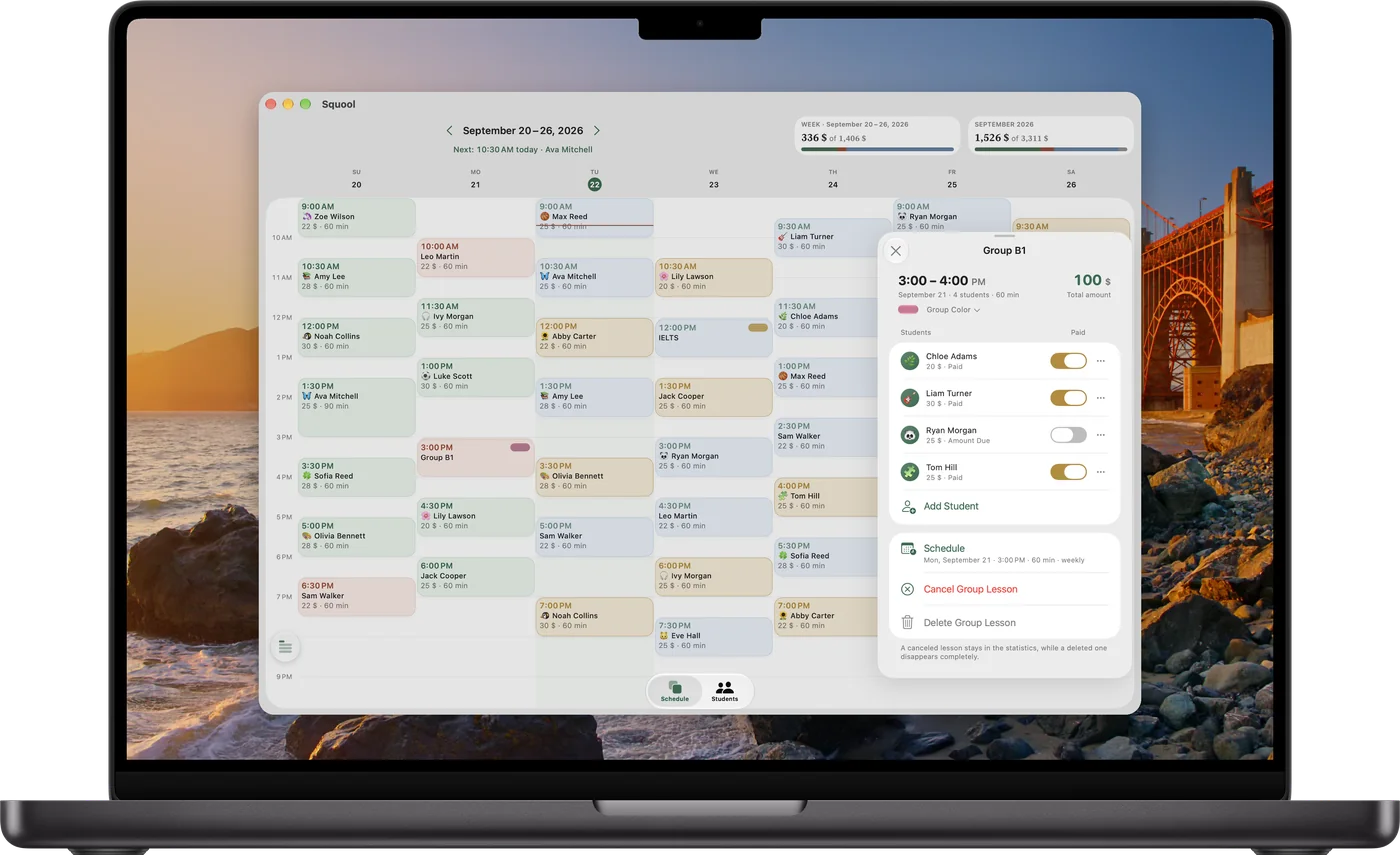
Group lessons in Squool
Create a lesson and add several students to it. Each student has their own price, which you can change right in the group. Payments come from each student's own balance, so prepaid and owed students can sit in the same group.
In the group's list, swipe a student to mark “Missed” (charged), “Cancel Attendance” (not charged) or “Remove from Group”. Everyone else in the lesson stays as they were.
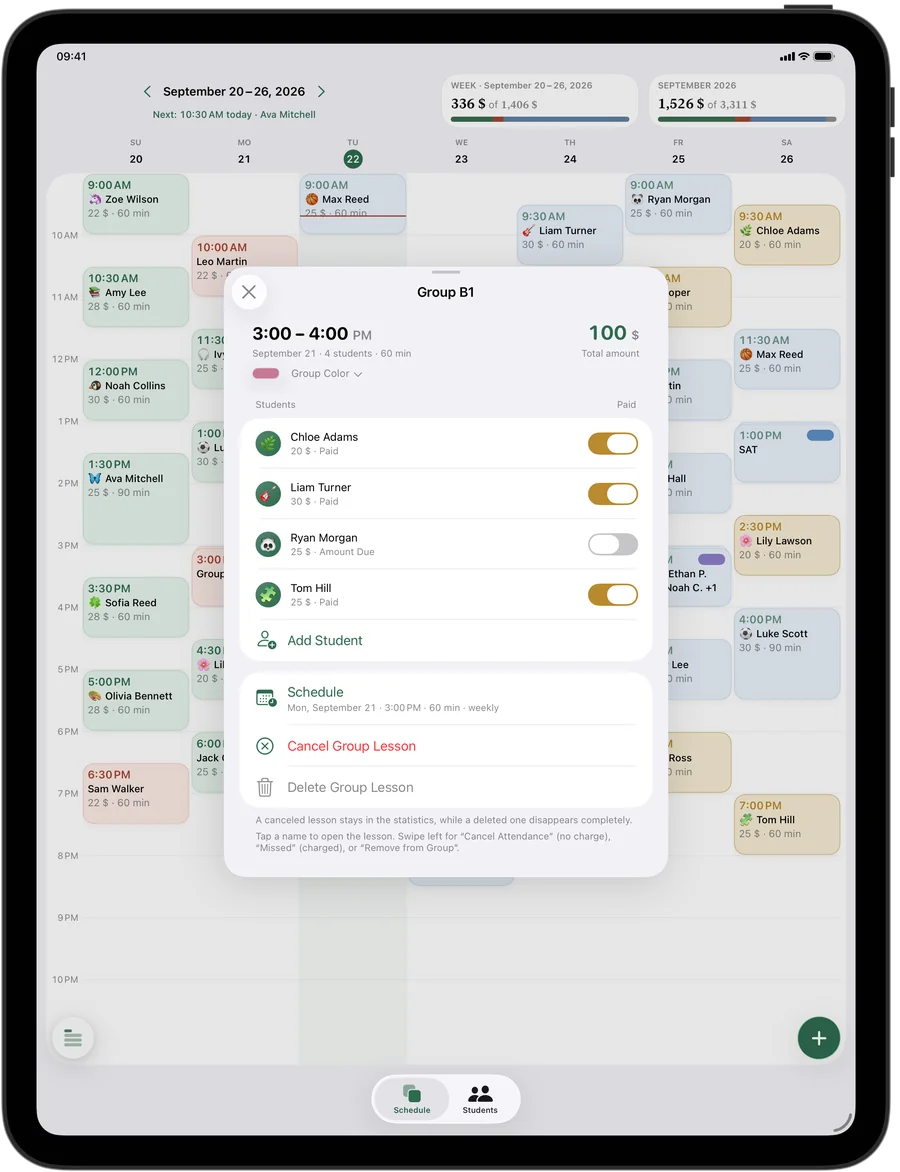
Moving or cancelling the whole group
When the whole group moves to another day, use “Reschedule” once instead of editing each student. Cancelling the group cancels it for everyone, and prepaid money goes back to each student's balance.
A group can repeat weekly like any lesson, have a short name and its own color in the schedule. Before the lesson you get one reminder with all the students' names, not a notification per student.
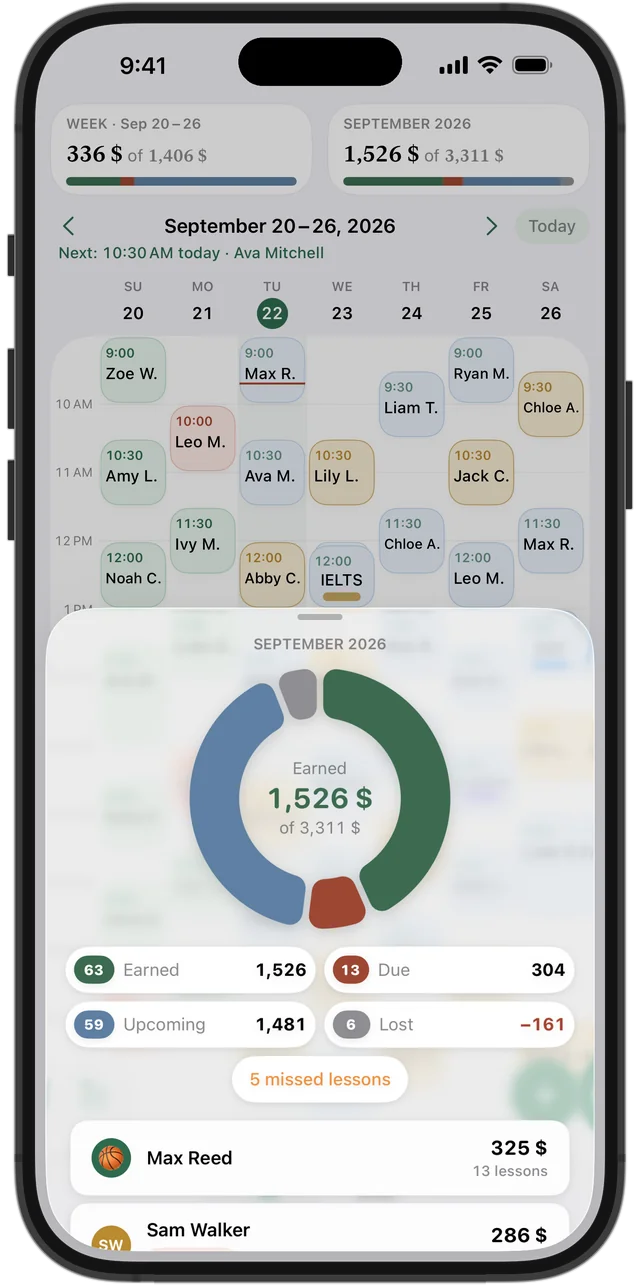
See the money from a group
Because every group member is a separate lesson for the statistics, your weekly and monthly totals include each student's share: earned, due, upcoming and lost. In each student's card you see their group lessons next to their individual ones.
Squool is for a single teacher: one tutor, many students and groups. It runs on iPhone, iPad and Mac, syncs through your own iCloud and keeps your data on your device. 14 days free, no card required.
Questions and answers
Can each student in a group pay a different price?
Yes. In Squool every student in a group lesson has their own price, payment and attendance.
How do I track attendance in a group lesson?
Mark it per student. In Squool you swipe a student in the group to mark them missed, cancel their attendance or remove them from the group.
One student skipped the group lesson — do they pay?
That depends on your policy. In Squool “Missed” means the lesson is charged, “Cancel Attendance” means it is not.
Can I reschedule a whole group at once?
Yes. “Reschedule” moves the lesson for every student in the group, and a group can repeat weekly.
Is Squool a school management system for several teachers?
No. Squool is for one teacher working alone; there are no shared accounts for staff or parents.
Read also
Recurring lessons
How to plan a weekly tutoring schedule: students twice a week at different times, moving one lesson, changing time or price for future lessons, ending a series.
Missed & cancelled
How to write a fair no-show and late cancellation policy for private lessons, when to charge for a missed lesson, and how to track income lost to cancellations.
Coaches
For chess, swim, tennis and martial arts coaches and personal trainers: groups with per-person prices, session packages, no-shows and payments.
Language tutors
Schedule, student balances and payments for ESL, Spanish, French and German tutors on iPhone, iPad and Mac. Group classes, other currencies.
Try it free for 14 days
No card required. Subscribe only once the app has proven it's worth it to you.
Download on the App Store