Each student in their own currency
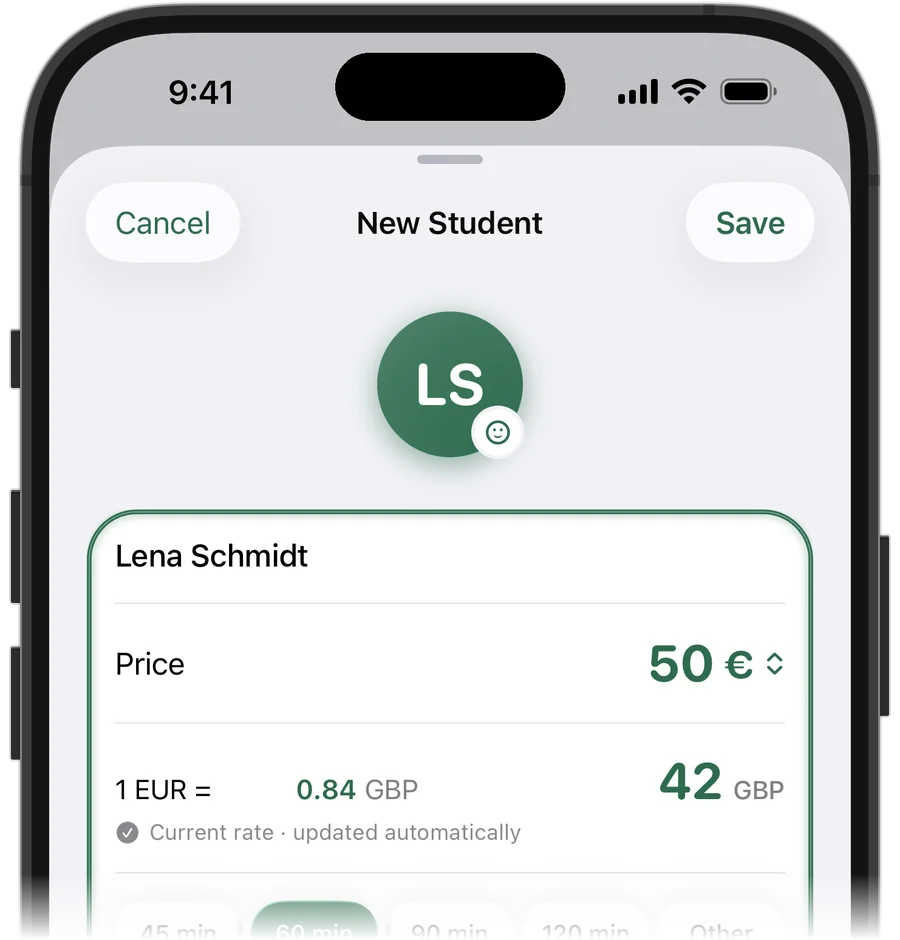
A student in Ireland pays in euros, a family in the States in dollars, a professional in Zurich in Swiss francs. In Squool, each student has their own currency: their price, balance and payments stay in it. Your totals for the week and the month are shown in one main currency – pounds, for most UK tutors – using an exchange rate you can edit for each student.
Supported currencies include pounds, euros, US and Canadian dollars, Swiss francs, Polish złoty, Czech koruna and others.
What Squool doesn't do
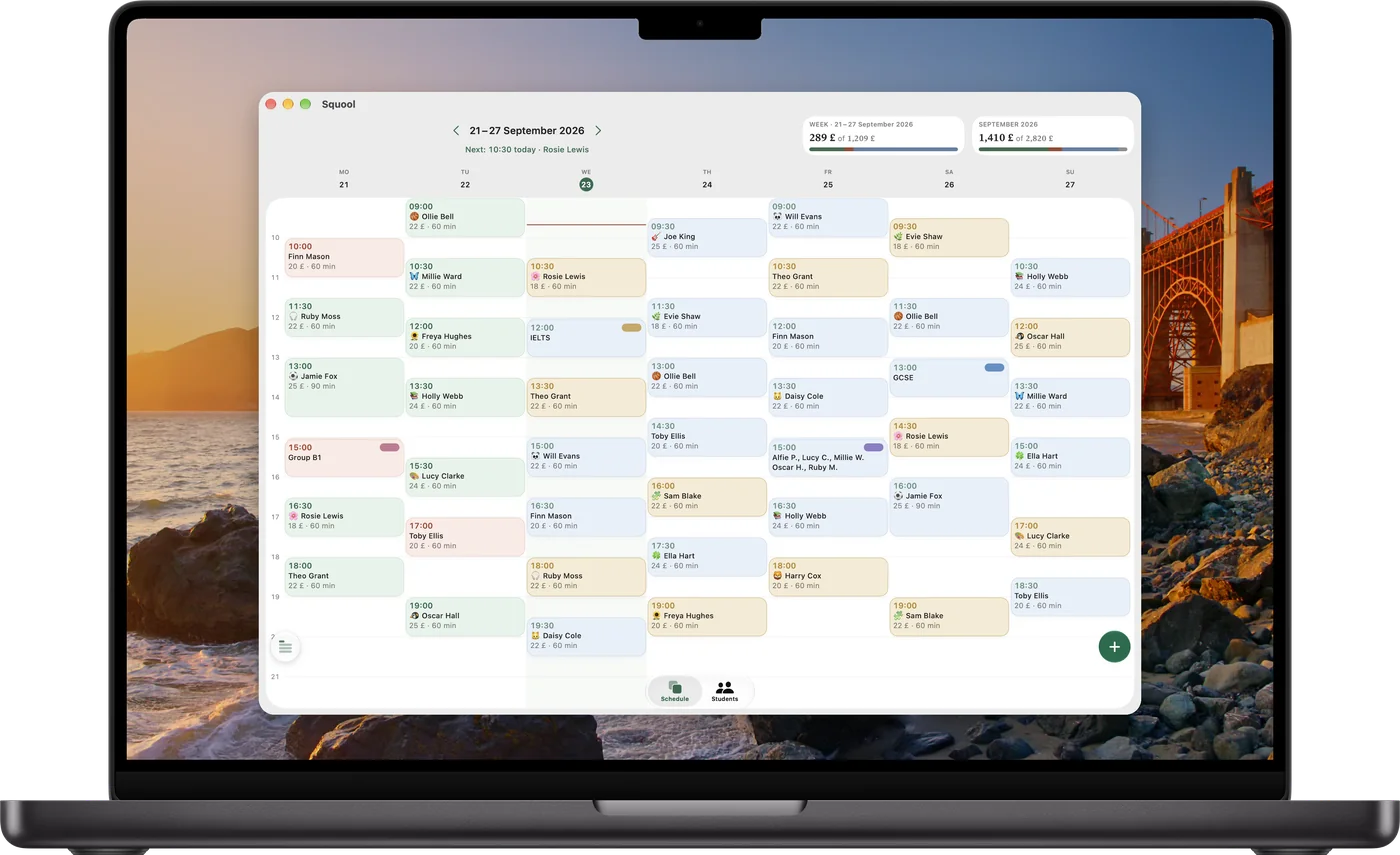
Squool has no video calls and no Zoom integration: you carry on teaching in Zoom, Teams, Google Meet. It also doesn't convert time zones – you enter every lesson in your own UK time, so agree times with overseas students in yours (and mind the clocks changing in spring and autumn).
Students don't get an account, can't book slots and don't pay through the app. When a transfer or PayPal payment arrives, you add it to the student's balance yourself; Squool does the rest of the maths.
Try it free for 14 days · No card required. Subscribe only once the app has proven it's worth it to you.
Download on the App Store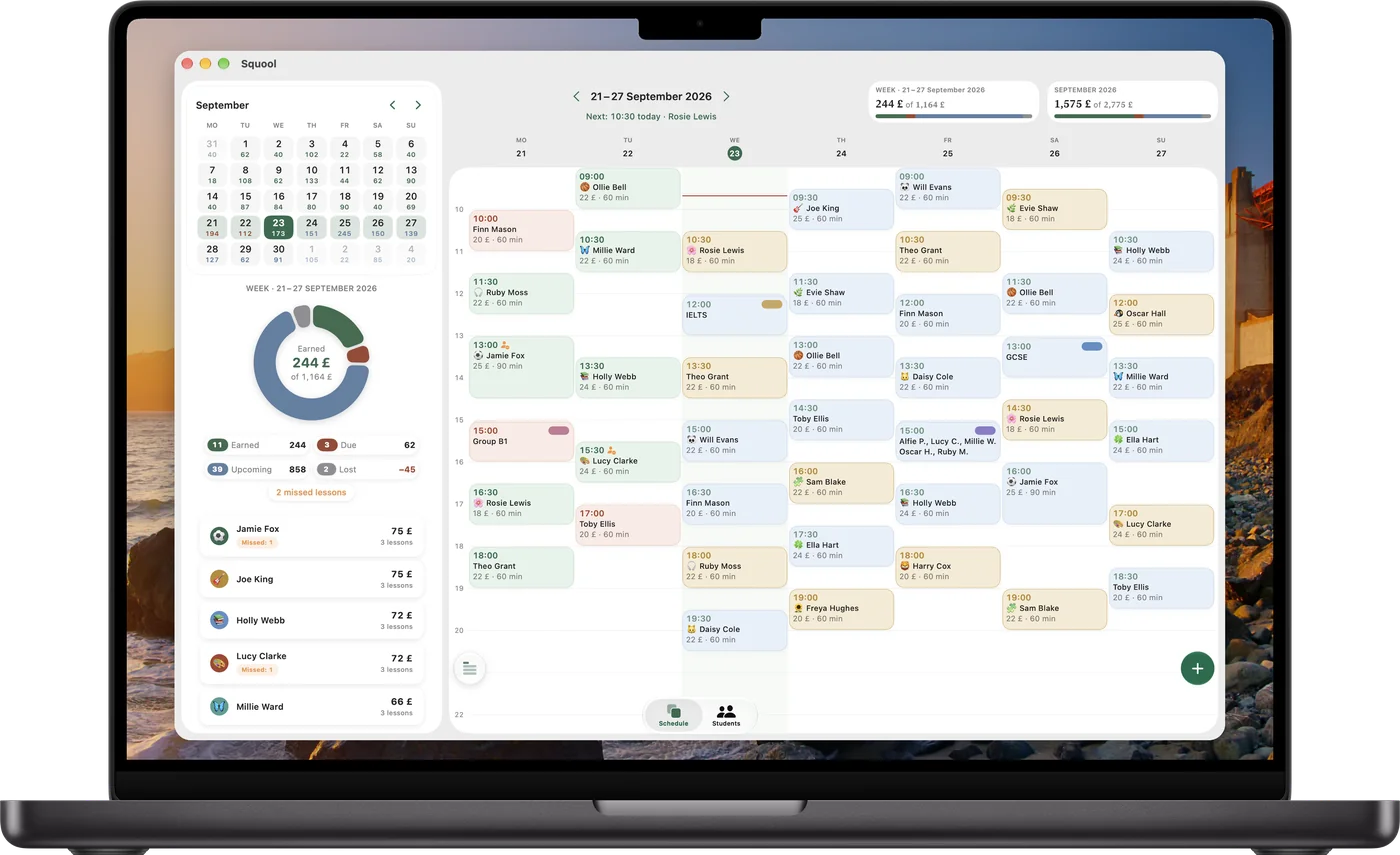
Your Mac next to the call
Online tutors spend the day at a computer, so the Mac version is made for it. Widen the window and you see a month calendar with each day's earnings and the statistics ring on the left, your week on the right. Between calls, mark a lesson paid or move one without picking up your phone.
The same data is on your iPhone and iPad, synced through your own iCloud with no sign-in.
Payments that arrive at odd times
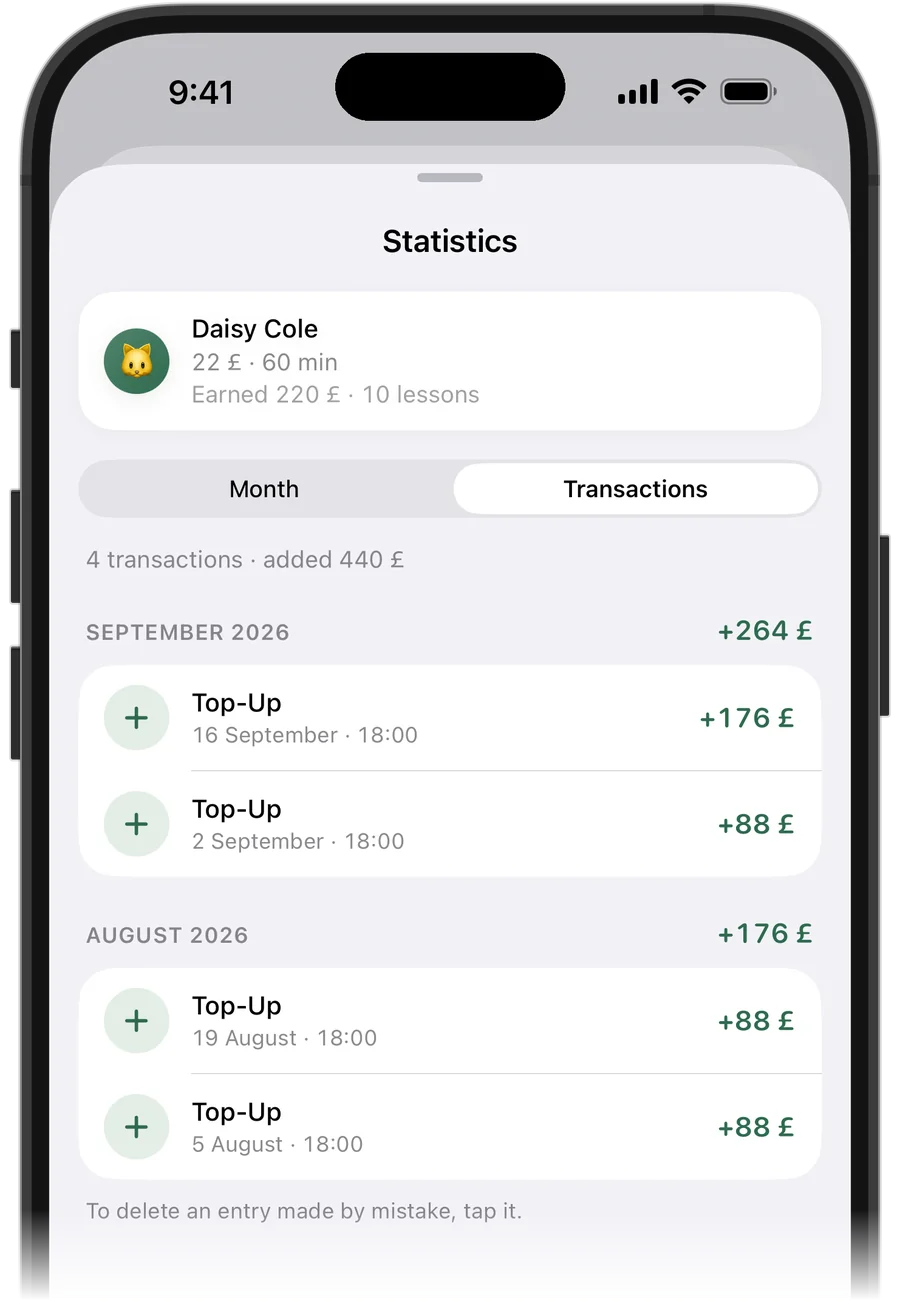
Some students pay for a month ahead, some after every lesson, some forget. Tap ‘Add Funds’ when money arrives and the lessons are paid automatically, oldest first. The top of the student list shows who owes you and who has paid ahead, and each student has a full payment history.
The month ring splits your income into earned, due, upcoming and lost, so you always know what has actually reached your account.
Keep Google Calendar in the loop
If you live in Google Calendar, turn on sync in Settings: your lessons appear there and update when you move or cancel one, colour-coded by payment state – paid, owed or prepaid. Apple Calendar works too. Sync goes one way, from Squool to the calendar.
Starting from a calendar full of lessons? Squool can import your students and recurring lessons from Google or Apple Calendar.
Private, and free to try
Your students' names and payments are stored on your device and in your own iCloud; the developer can't see them. Apple Watch shows what's on now and what's next, and a reminder arrives before each lesson. The first 14 days give you full access for free, with no card.
Questions and answers
What's the best app for online tutors to track students and payments?
If you work on your own on Apple devices, Squool covers the timetable, a balance for every student in their own currency and your monthly income. Try it free for 14 days, no card needed.
Can students pay me in euros or dollars?
Yes. Each student can have their own currency, and your totals are shown in pounds (or another main currency) with an exchange rate you can edit.
Does Squool convert lesson times between time zones?
No. You enter lessons in your own UK time; Squool doesn't convert them for students in other time zones.
Does Squool integrate with Zoom or Microsoft Teams?
No. There are no video calls in Squool; you run the lesson in your usual app and track the timetable and money in Squool.
Is there a web version I can open in a browser?
No. Squool is a native app for iPhone, iPad, Mac (Apple silicon) and Apple Watch; there's no web, Windows or Android version.
Can my lessons show up in Google Calendar?
Yes. Turn on sync in Settings, and your timetable appears in Google or Apple Calendar and stays up to date.
Read also
Other currencies
Online tutor paid in pounds, euros and dollars? How to keep each student's balance in their own currency and see your total income in pounds.
Calendar import & sync
How tutors can move students and weekly lessons from Google or Apple Calendar into a lesson app, and sync the timetable back with colour-coded payments.
Language tutors
Timetable, student balances and payments for French, Spanish, German and EFL tutors on iPhone, iPad and Mac. GCSE prep, groups, other currencies.
Tutoring income
How a UK private tutor can see real monthly income: what's earned, what's still due, what's planned and what cancellations cost. A simple method and an app.
Try it free for 14 days
No card required. Subscribe only once the app has proven it's worth it to you.
Download on the App Store