September and February: two starts a year
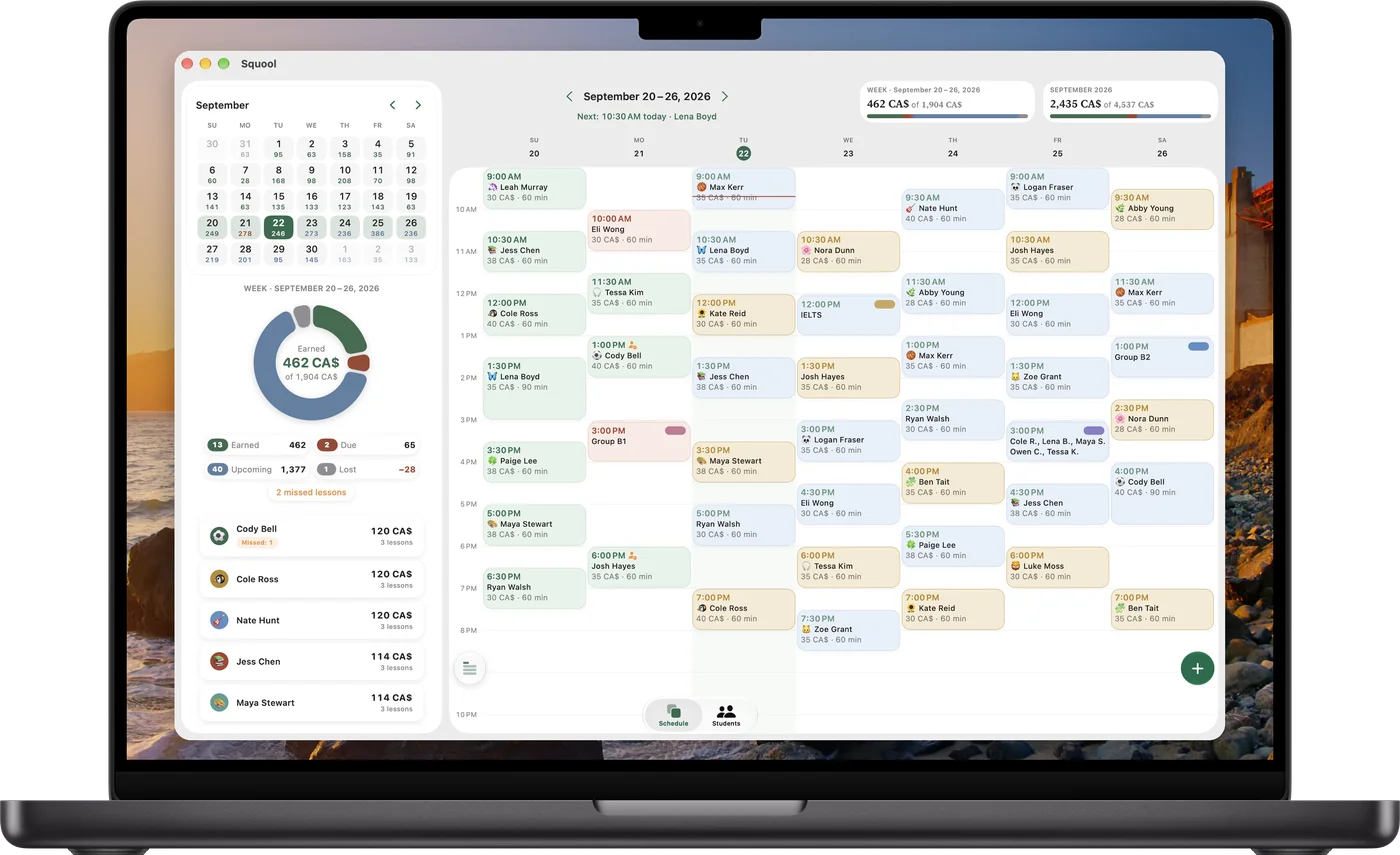
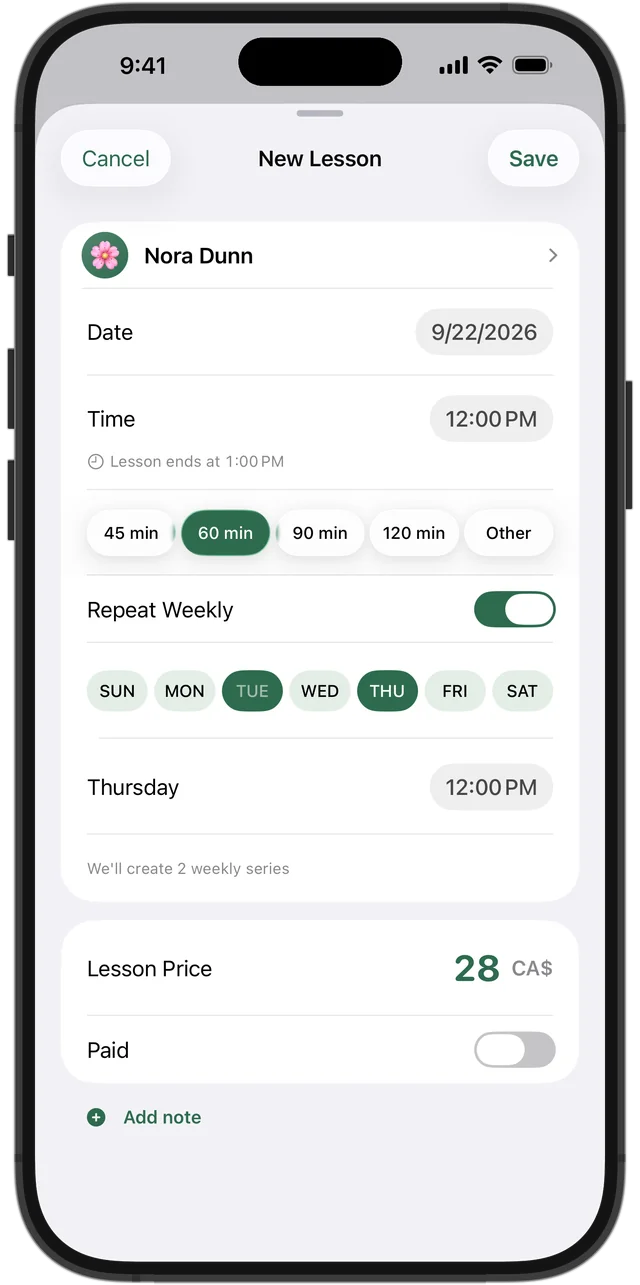
Families call in September, and again in February when a new semester brings new courses. Add each student once with their price, lesson length and “Repeat Weekly,” and their semester fills in. If your schedule already lives in Google Calendar or Apple Calendar, Squool can import students and weekly lessons from there — and send your schedule back to the calendar if you like seeing it there.
The weeks before finals
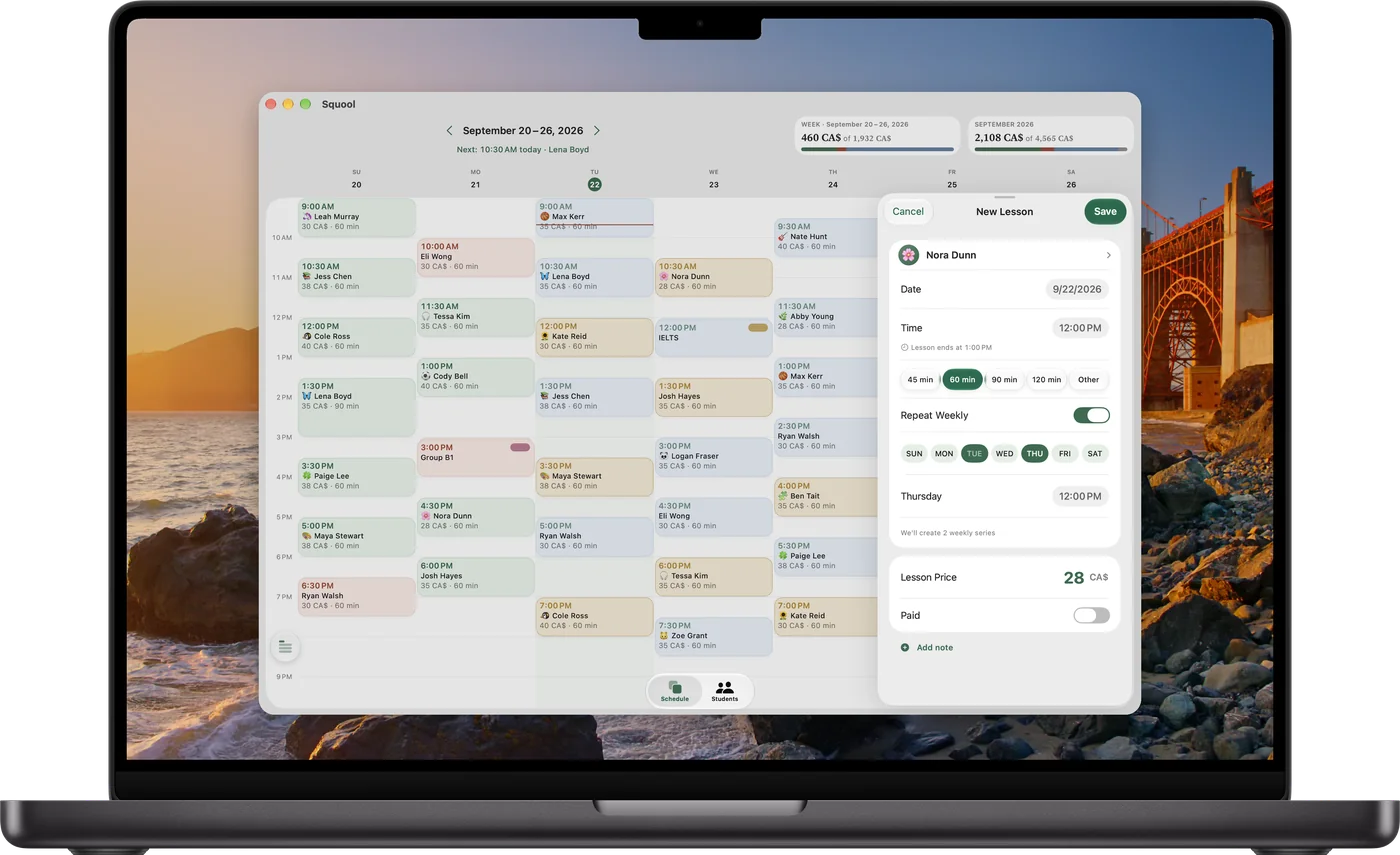
In the last three or four weeks before a final or diploma exam, many students go from one lesson a week to two or three. Add weekdays to their series, each with its own time; Squool notices and gives them a “More often now” achievement. Weekend review sessions with three or four classmates work as group lessons, with a separate price and payment for each student.
Try it free for 14 days · No card required. Subscribe only once the app has proven it's worth it to you.
Download on the App Store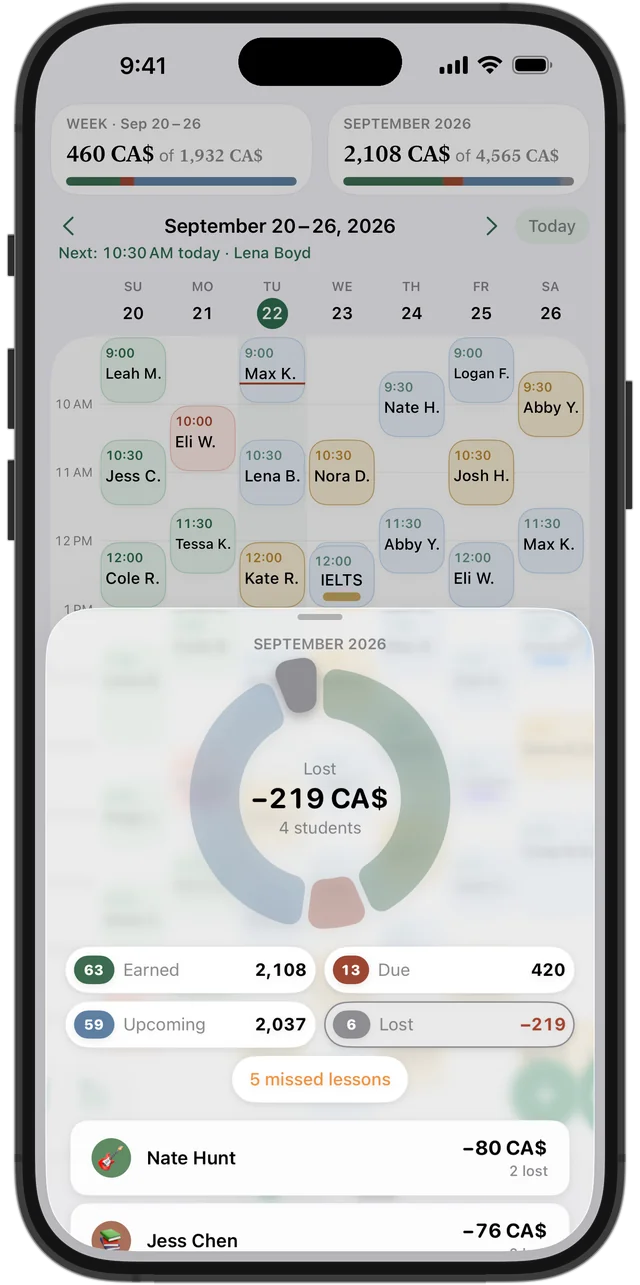
Exam weeks and cancellations
Exam weeks bring cancellations as well as extra requests. When a student cancels, cancel the lesson: it isn't charged, prepaid money goes back to the balance, and it counts as lost income in your statistics. A no-show is marked as missed and charged.
After the last exam
Every student finishes on a different day. After their last exam, end the series: the remaining lessons disappear, while their history and payments stay. For SAT students, the plan ends on their test date. When a student comes back next semester, bring them back from the archive and choose which of their old days are still free.
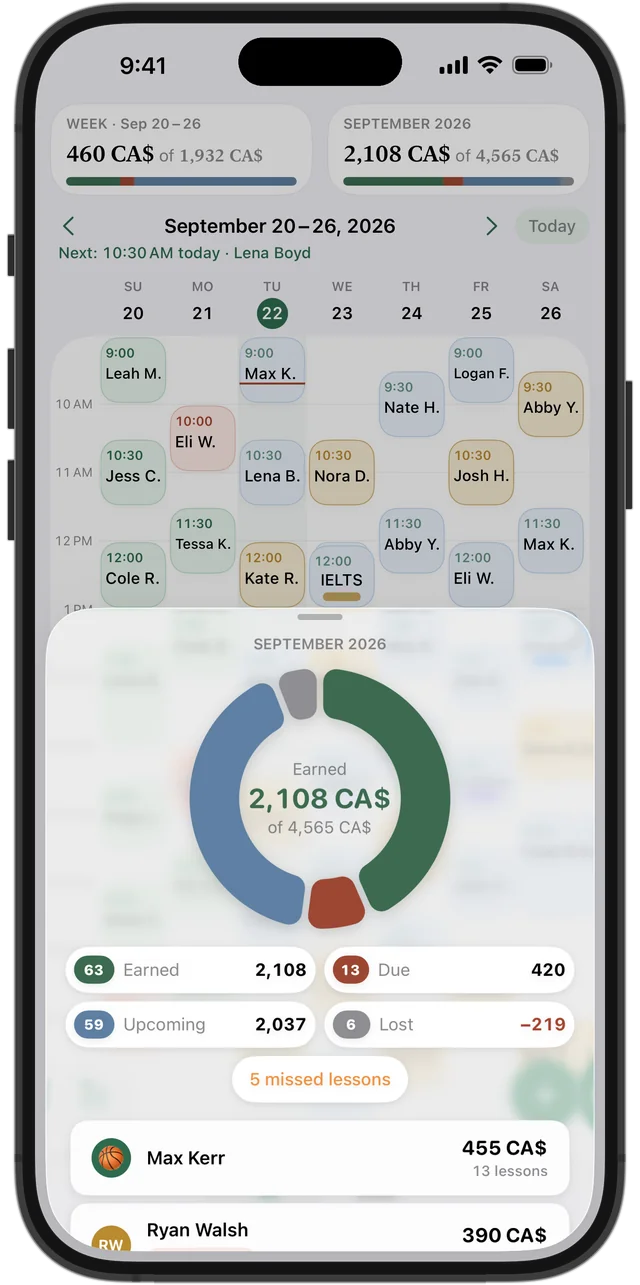
What the exam year adds up to
The month ring shows earned, due, upcoming and lost income, and a wide Mac window shows a month calendar with each day's earnings next to your week. Compare January and June with July and you'll see how much of your year depends on exam season — and how much to set aside for summer.
Squool syncs between iPhone, iPad and Mac through your own iCloud, with Apple Watch for what's now and next. Your data stays on your devices and in your iCloud. Free for 14 days, no credit card needed.
Questions and answers
What's the best app for a tutor to organize provincial exam prep?
If you tutor on your own with an iPhone, iPad or Mac, Squool covers the weekly schedule, extra review sessions, groups, payments and income. It's free for 14 days.
How do I stop all lessons after a student's last exam?
End the student's weekly series from that date; future lessons disappear and their history stays.
Can I run weekend review groups where each student pays separately?
Yes. A group lesson has an individual price, payment and attendance for each student.
Can I compare what I earned in June with what I earned in July?
Yes. The month ring shows earned, due, upcoming and lost income, and you can switch between months.
Does Squool include exam schedules or practice tests?
No. You add lessons yourself; Squool doesn't include exam dates or study materials.
Read also
Math & science tutors
For math, physics, chemistry, provincial exam and SAT tutors: weekly schedule, student balances, payments and income on iPhone, iPad and Mac.
Recurring lessons
How to plan a weekly tutoring schedule: students twice a week at different times, moving one lesson, changing time or price for future lessons, ending a series.
Tutoring income
How a private tutor in Canada can see real monthly income: what's earned, what's still due, what's planned and what cancellations cost. A method and an app.
Try it free for 14 days
No card required. Subscribe only once the app has proven it's worth it to you.
Download on the App Store