A weekly schedule you set up once
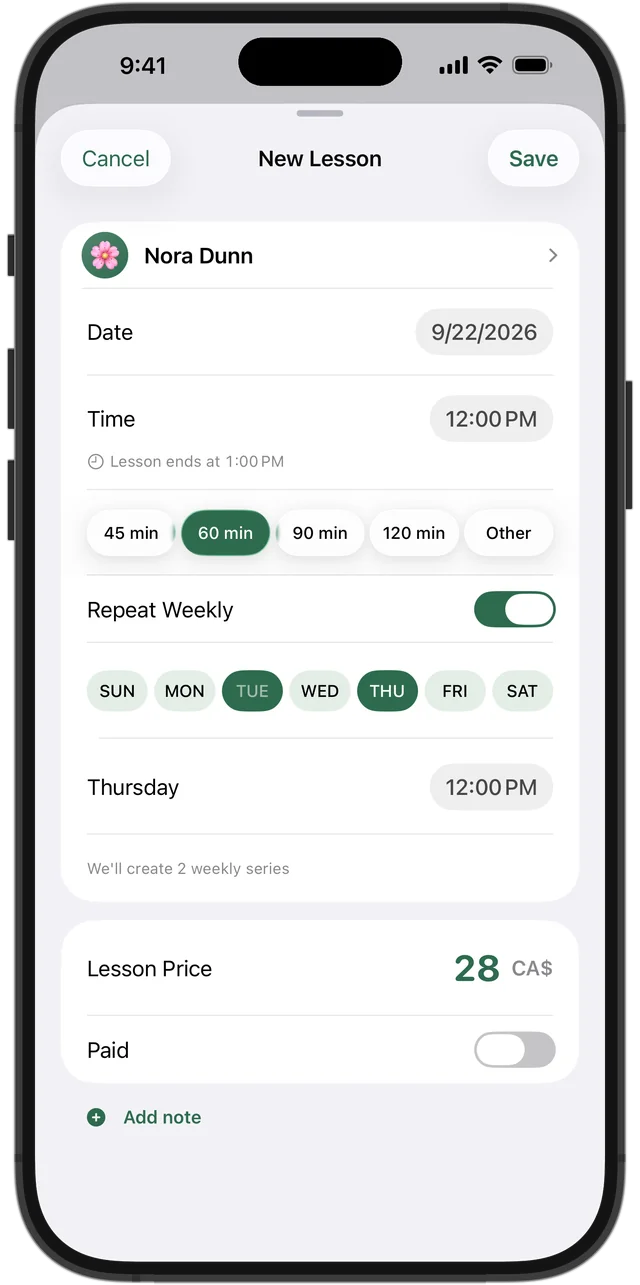
Language learners come back week after week, so most of your lessons are regular. Create a lesson once, turn on “Repeat Weekly,” and it appears in your schedule every week by itself. A student who comes twice a week can have Monday at 6 p.m. and Thursday at 7:30 p.m. in the same series, each day with its own time.
When a student is away for March Break, move just “This One.” When they switch to a new time for the rest of the school year, change “This & Future.” When they've written their test and finished, end the series — past lessons and payments stay in their history.
See who has paid without scrolling through texts
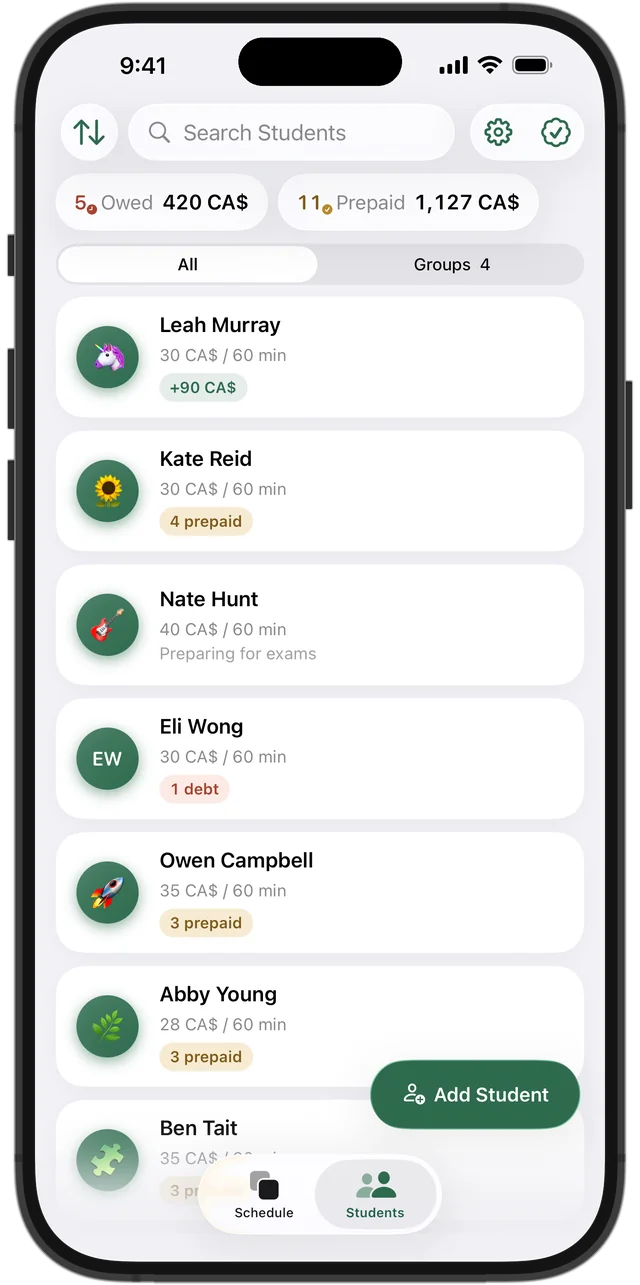
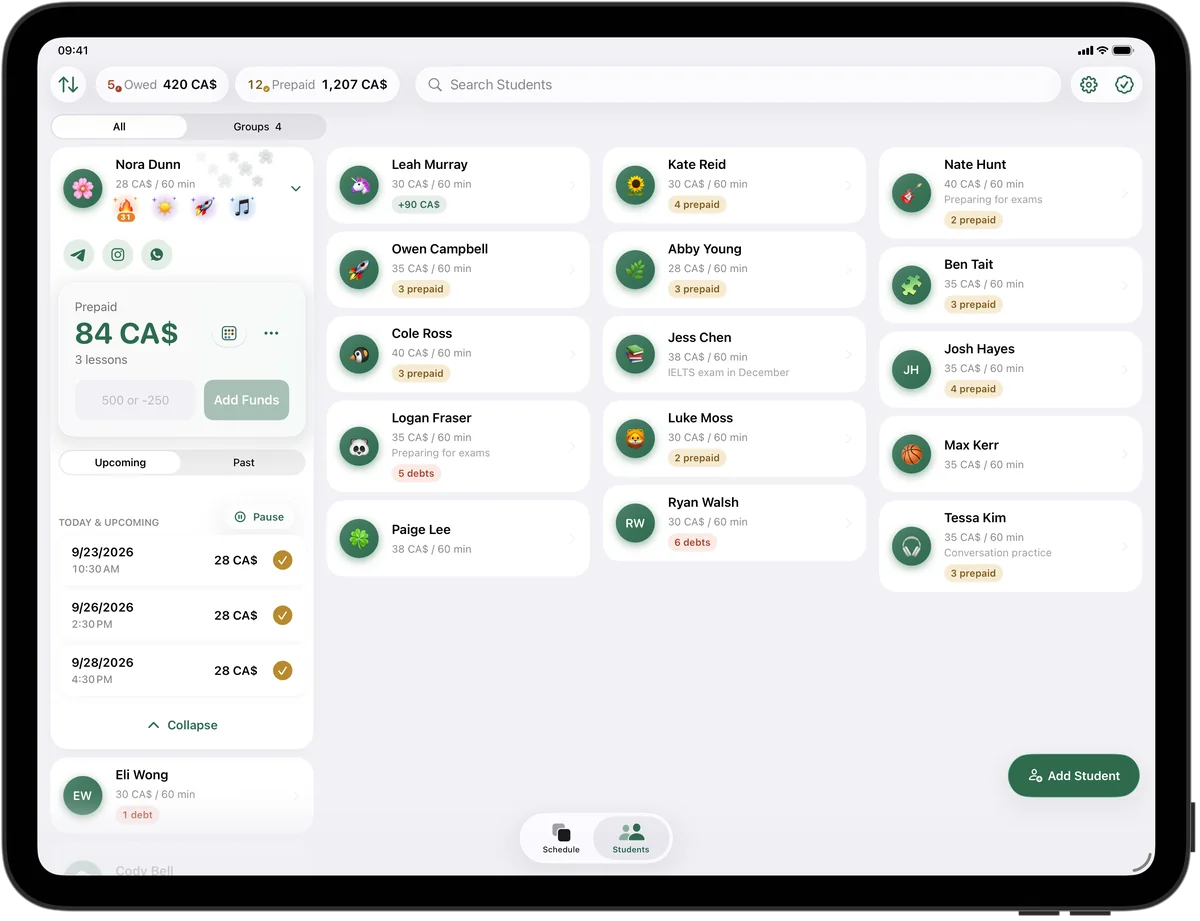
Every student has a price per lesson and a balance. When a parent sends an Interac e-Transfer for the next month, tap “Add Funds” and the lessons are paid automatically, oldest first. The top of the student list always shows who owes you and who has paid ahead, with amounts, and you can sort students by debt or prepayment.
In the week grid, each lesson's colour shows its payment state — paid, owed, prepaid or upcoming — so you can spot an unpaid lesson before the next one starts.
Try it free for 14 days · No card required. Subscribe only once the app has proven it's worth it to you.
Download on the App Store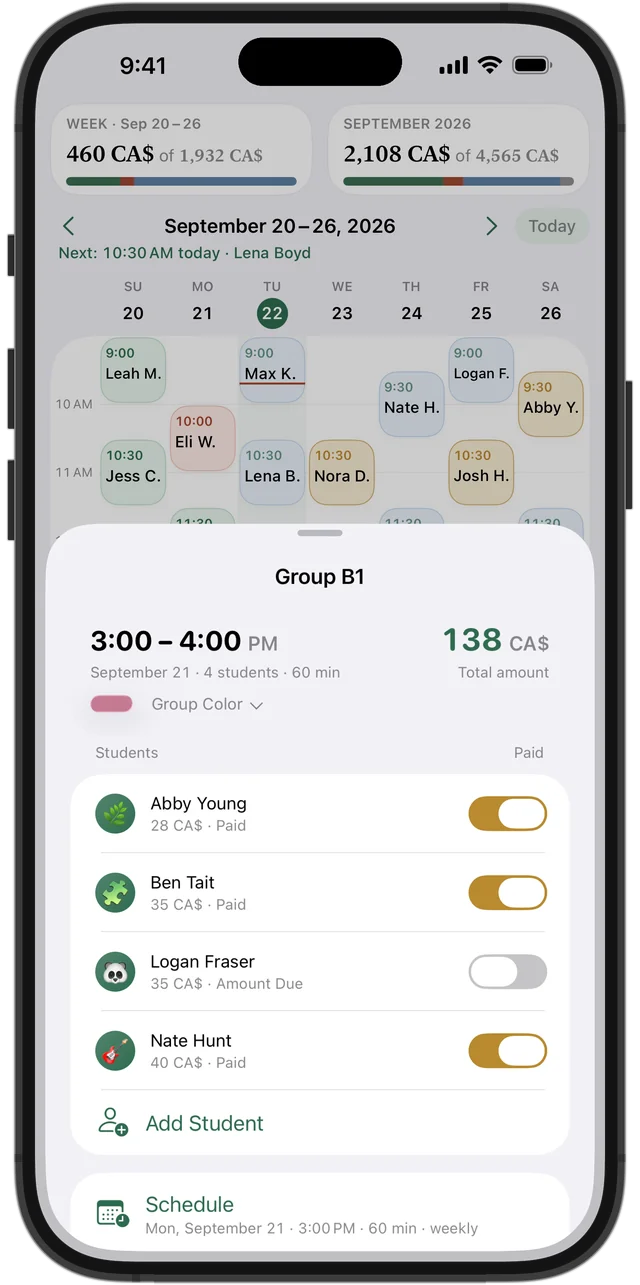
Conversation groups and test-prep classes
A French conversation circle or a small IELTS prep class is one group lesson with several students in it, and each student can have their own price: a regular pays one rate, a newcomer on a trial another. Payments and missed lessons are tracked separately for every student, and you can move or cancel the whole group at once.
Give the group a name and a colour so “CELPIP Wed” or “French B1” stands out in your week.
Students across the border and overseas
Plenty of Canadian language tutors teach students in the U.S. and abroad. In Squool, each student can pay in their own currency — Canadian dollars, U.S. dollars, euros, pounds, Mexican pesos and more. Their balance stays in that currency, and your totals are shown in Canadian dollars (or whichever main currency you choose) using an exchange rate you can edit.
Squool doesn't convert time zones: whether your student is in Vancouver or Halifax, you enter every lesson in your own local time.
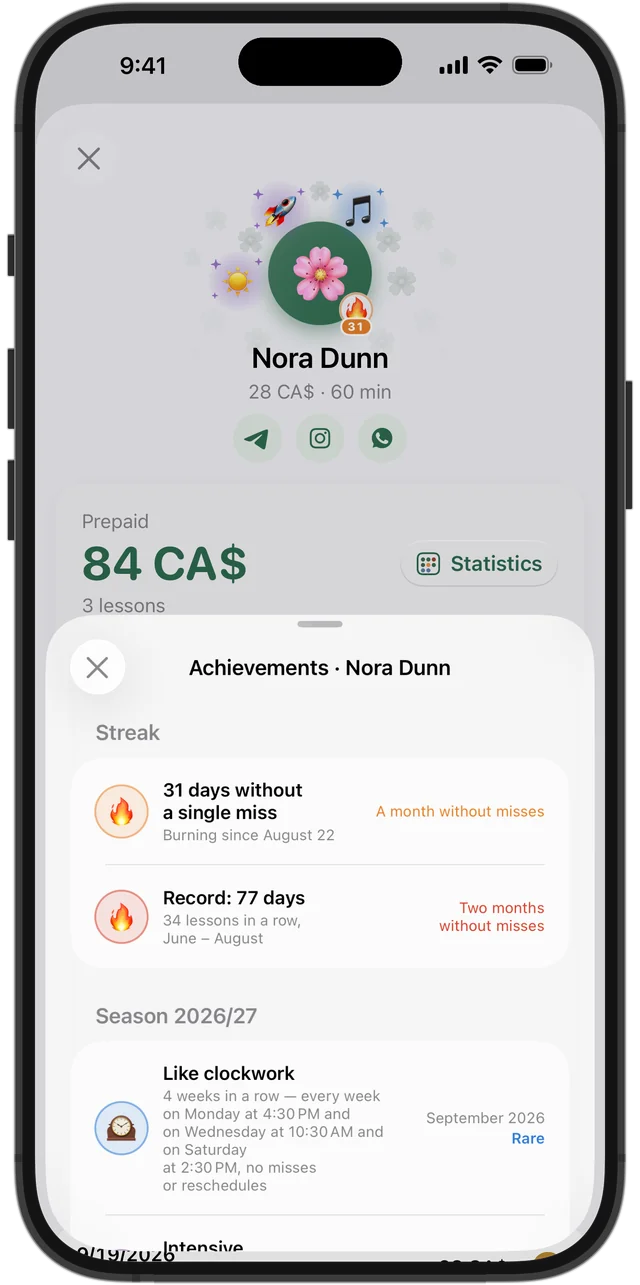
Regular practice is what makes a language stick
Squool notices consistency and gives students achievements on its own: “Every week” for a lesson every single week, “Like clockwork” for the same day and time for a month, “More often now” when someone moves from one lesson a week to two before their test. A 🔥 streak next to the avatar shows who hasn't missed a lesson in a month or more — a good reason to praise them.
Each lesson also has its own note, handy for writing down the topic you covered or the homework you gave.
On your iPhone, iPad, Mac and Apple Watch
Your schedule, students and payments sync between iPhone, iPad and Mac through your own iCloud, with no account and no password. Your data stays on your devices and in your iCloud; the developer can't see your students or your earnings. Apple Watch shows what's on now and what's next.
Already keep your lessons in Google Calendar? Squool can bring your students and recurring lessons over from it. The first 14 days are free with full access, and no credit card is needed.
Questions and answers
What's a good app for a private French or ESL tutor to track lessons and payments?
Squool is made for exactly this: one tutor, a weekly schedule and a balance for every student. It runs on iPhone, iPad, Mac and Apple Watch, and the first 14 days are free without a credit card.
Can my students book lessons or pay through Squool?
No. Squool is your own tool: students don't get an account, can't book time and don't pay through the app. You record a payment yourself when the e-Transfer arrives, and the app does the counting.
Can I run a CELPIP or IELTS prep group where students pay different prices?
Yes. In a group lesson, each student has their own price, and payments and missed lessons are tracked separately for each of them.
Does Squool work for online language lessons over Zoom?
Yes, for the schedule and the money. Squool has no video calls, so you keep using Zoom, Google Meet, Teams for the lesson itself.
Can I move my students over from Google Calendar?
Yes. Squool finds the lessons in your Google or Apple Calendar and brings your students and recurring lessons into your schedule.
Is Squool available on Android?
No. Squool works only on Apple devices: iPhone, iPad, Mac and Apple Watch.
Read also
Online tutors
Tutor over Zoom, Google Meet or Teams? Track your schedule, students paying in CAD, USD or EUR, and monthly income on iPhone, iPad and Mac.
Other currencies
Tutor paid in Canadian dollars, U.S. dollars and euros? How to keep each student's balance in their own currency and see total income in CAD.
Group lessons
How to price and track small group tutoring: an individual price per student, who paid, who missed, cancelling for one student or the whole group.
Recurring lessons
How to plan a weekly tutoring schedule: students twice a week at different times, moving one lesson, changing time or price for future lessons, ending a series.
Try it free for 14 days
No card required. Subscribe only once the app has proven it's worth it to you.
Download on the App Store