A year that follows the math curriculum
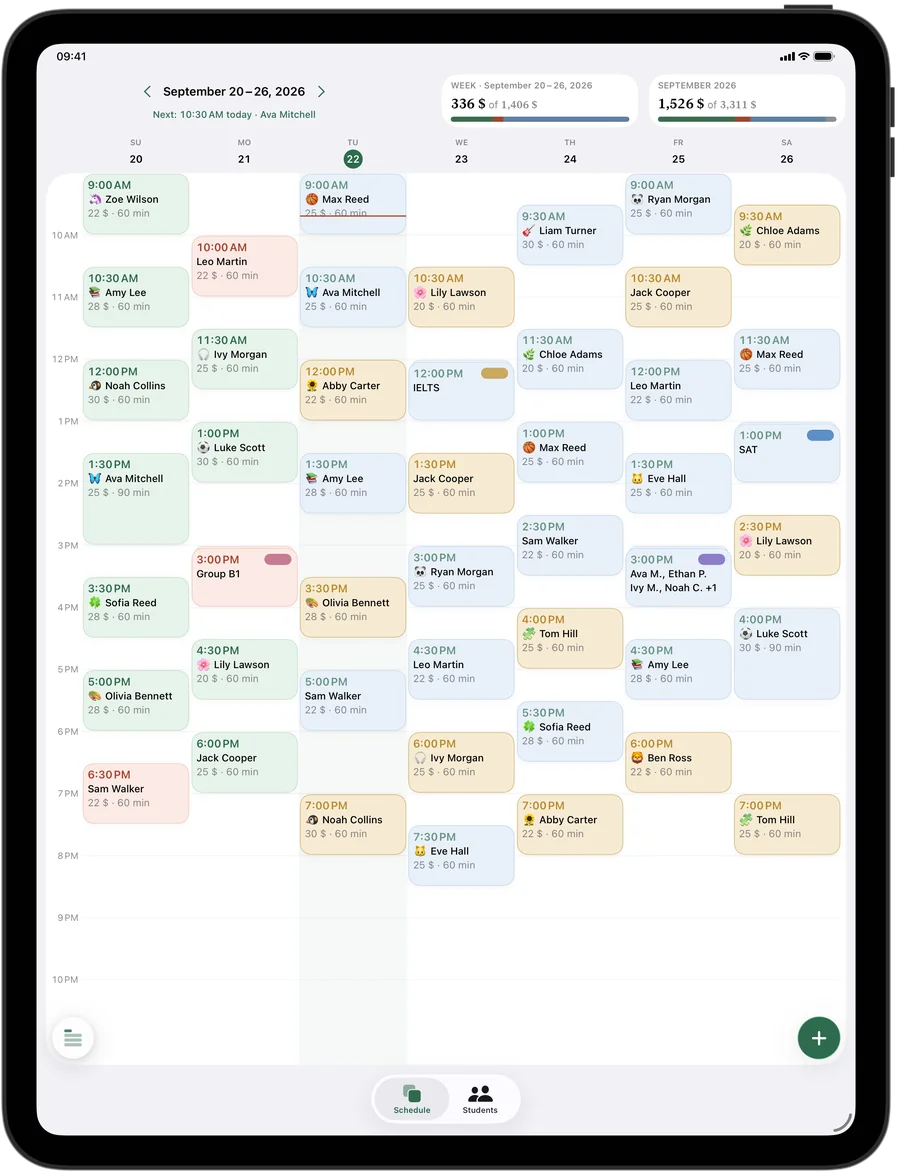
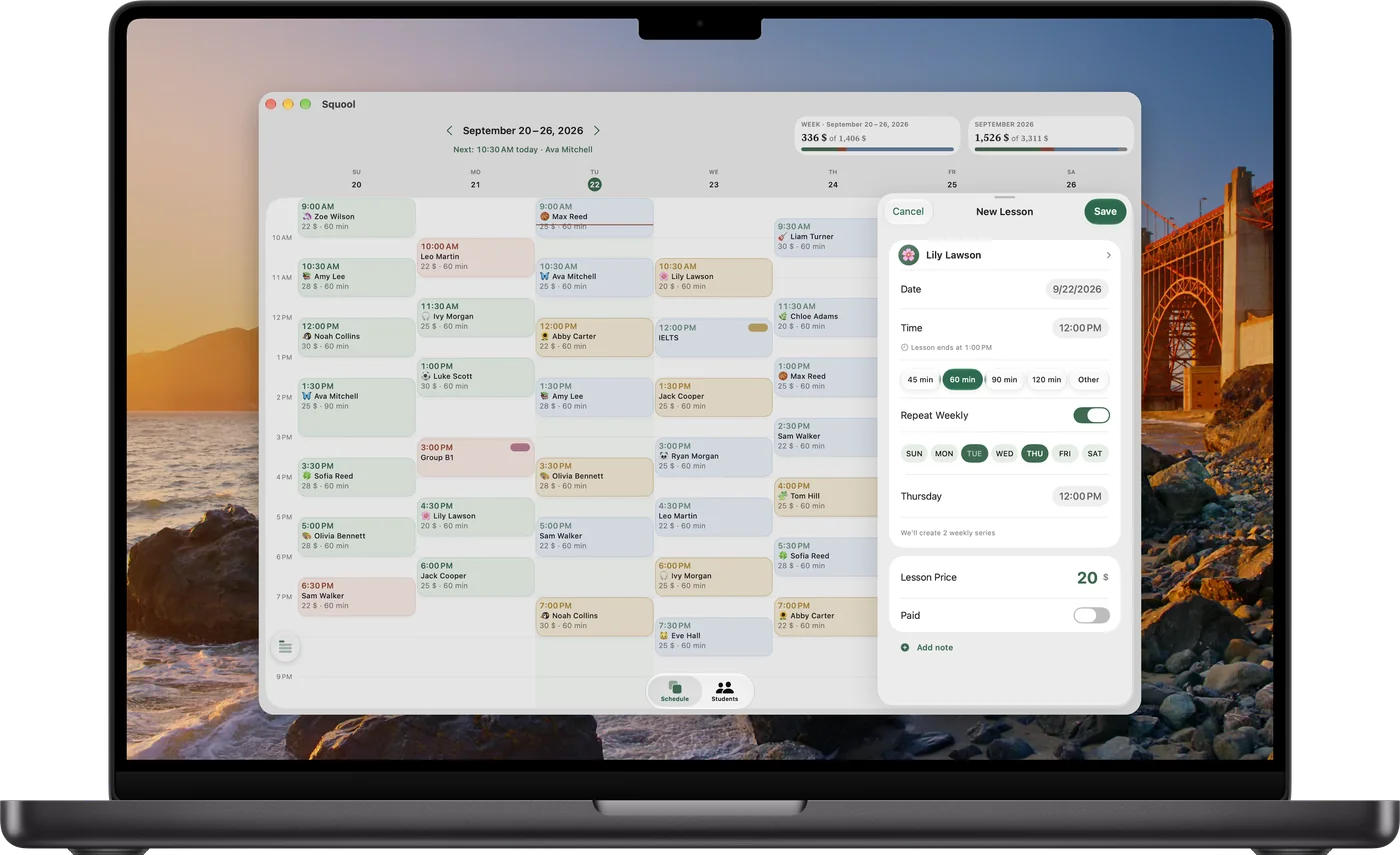
Most math students start weekly in late August or September. Add each one once with “Repeat Weekly” and the series runs through the school year. In June, end the series; the student's history stays.
Summer works differently: a three-week bridge before Geometry, twice a week, is just a short series with two weekdays, each at its own time. Taking August off? Set a vacation and every lesson in those dates is removed automatically, while prepaid money waits for the fall.
Two sessions before a unit test
The week before a test on quadratics, a student may want two sessions instead of one. Tap a free hour in the week grid to add a single extra session without touching the regular schedule. If the extra day becomes permanent, add a second weekday to the series.
Squool notices when a student starts coming more often and gives them a “More often now” achievement — a small sign that the effort before the test is real.
Try it free for 14 days · No card required. Subscribe only once the app has proven it's worth it to you.
Download on the App Store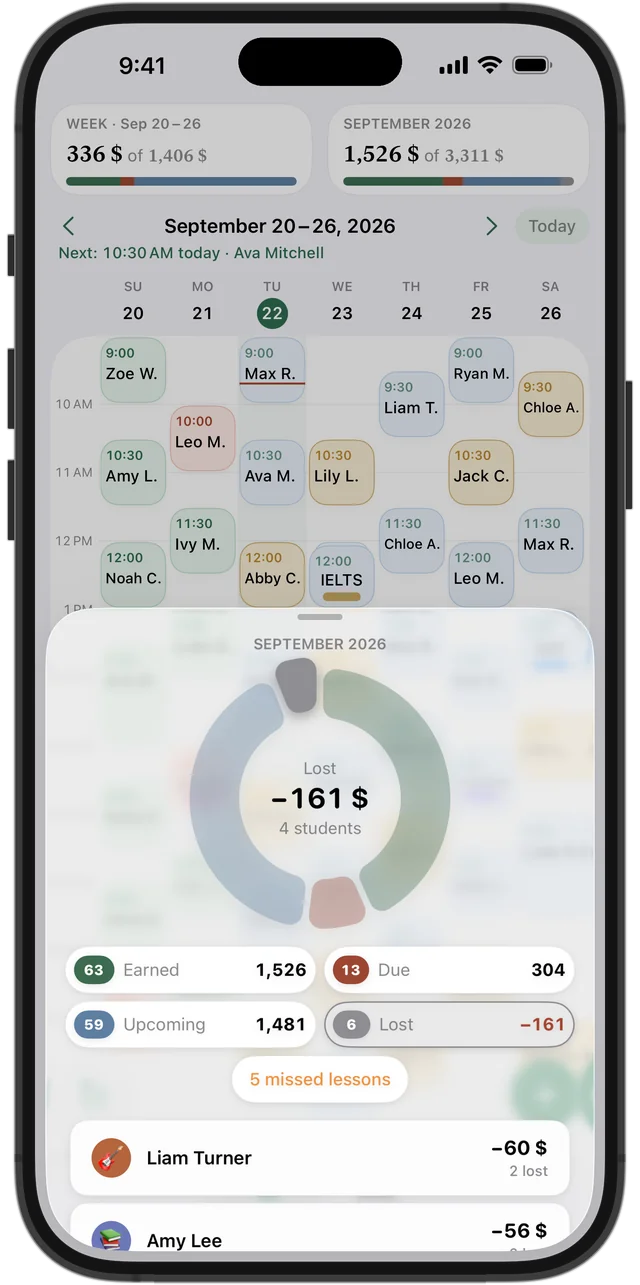
Missed for a game, a concert or a field trip
School life cancels math sessions all the time. Squool keeps two clear cases: a missed lesson, when the student didn't warn you, is charged; a cancelled lesson isn't, and if it was prepaid the money returns to the balance for the next session.
Cancelled sessions appear in your statistics as lost income, so in May you can see how much basketball season really cost you, and decide on your cancellation policy with numbers in hand.
Showing parents how the month went
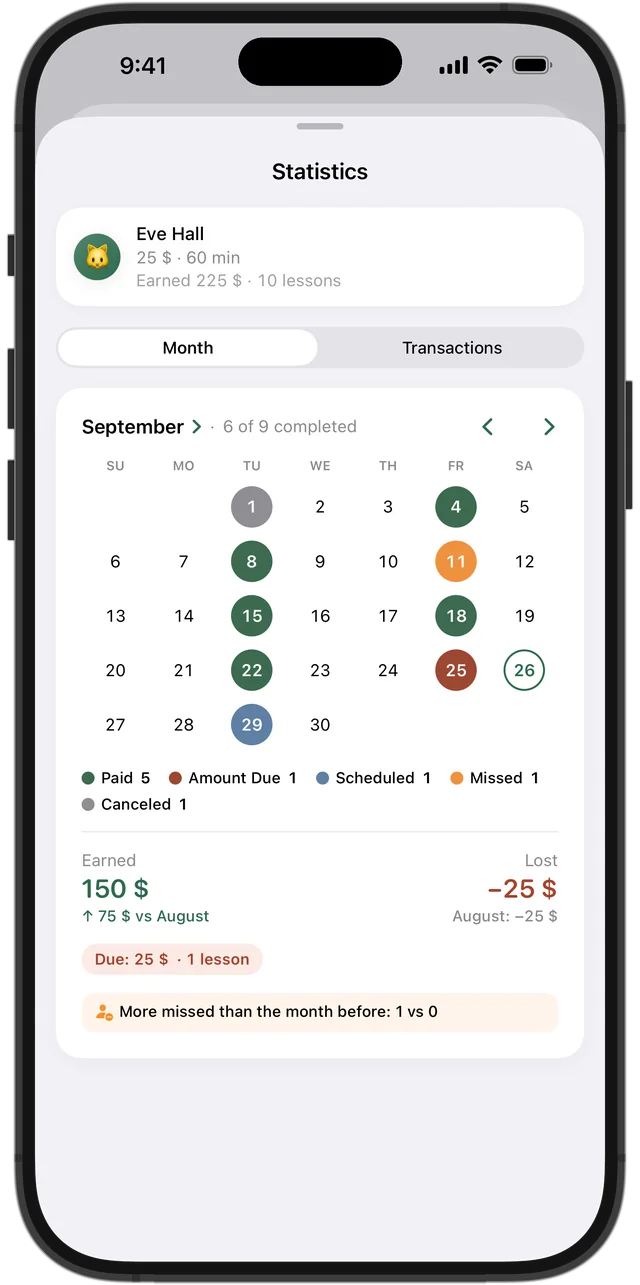
Around report card time parents ask how many sessions their child had and what's still unpaid. Open the student's statistics: a month calendar marks every session as taught, missed or cancelled, with earned, due and lost amounts and a comparison with last month.
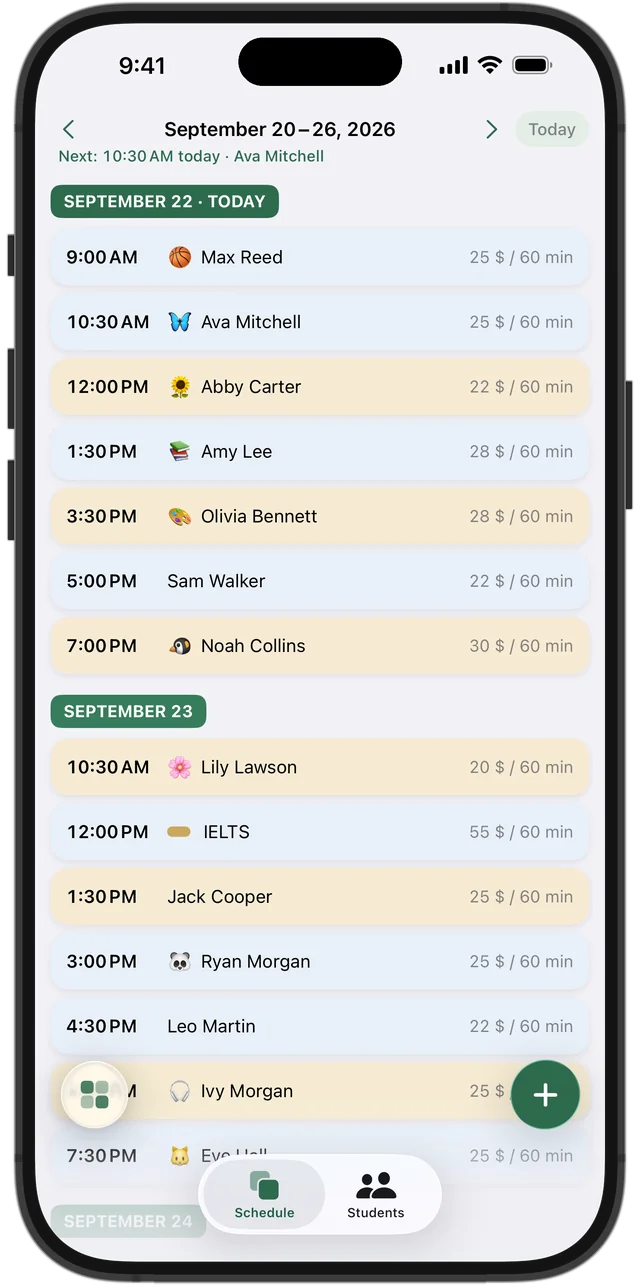
45 minutes for sixth grade, 90 for calculus
Each student has their own lesson length and price, so a middle schooler doing fractions and a senior in AP Calculus BC can sit side by side in your week at different rates. Siblings are separate students with separate balances, even if one parent pays for both.
On every device, private by design
Squool works on iPhone, iPad and Mac and syncs through your own iCloud, with no account to create. A reminder arrives before each session, and Apple Watch shows who's now and next. The developer never sees your students or your earnings. The first 14 days are free, no card needed.
Questions and answers
Is there an app for math tutors to schedule sessions and track payments?
Yes. Squool is built for one tutor: a weekly schedule, a balance for every student, missed and cancelled sessions and monthly income on iPhone, iPad, Mac and Apple Watch.
How do I keep track of which parents have paid for math tutoring?
Each session is colored by payment state, and the top of the student list shows who owes you and who has paid ahead.
Can I charge a different rate for AP Calculus and middle school math?
Yes. Every student has their own price per lesson and lesson length.
Can I add an extra session before a test without changing the weekly schedule?
Yes. Tap a free hour to add a one-time lesson; the weekly series stays as it is.
Can parents book math sessions themselves in Squool?
No. Squool is used only by the tutor; there's no booking, parent portal or online payment.
Read also
Math & science tutors
For math, physics, chemistry and SAT/ACT tutors: weekly schedule, student balances, payments and monthly income on iPhone, iPad and Mac.
Recurring lessons
How to plan a weekly tutoring schedule: students twice a week at different times, moving one lesson, changing time or price for future lessons, ending a series.
Missed & cancelled
How to write a fair no-show and late cancellation policy for private lessons, when to charge for a missed lesson, and how to track income lost to cancellations.
Try it free for 14 days
No card required. Subscribe only once the app has proven it's worth it to you.
Download on the App Store