Short sessions, set up once
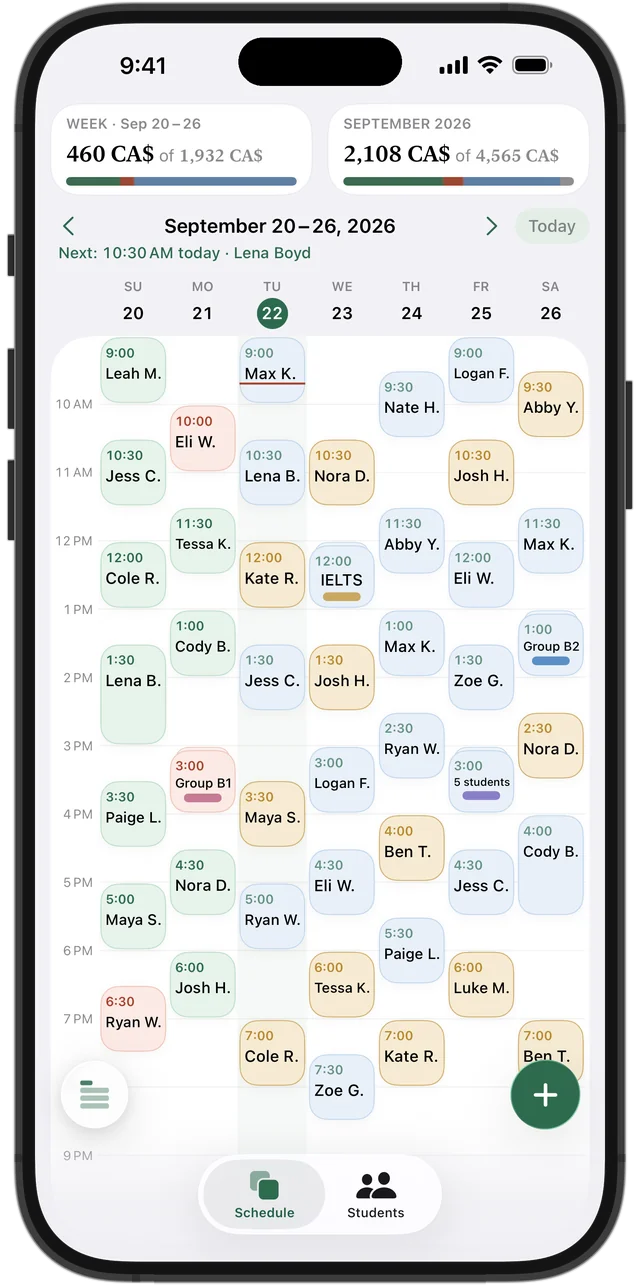
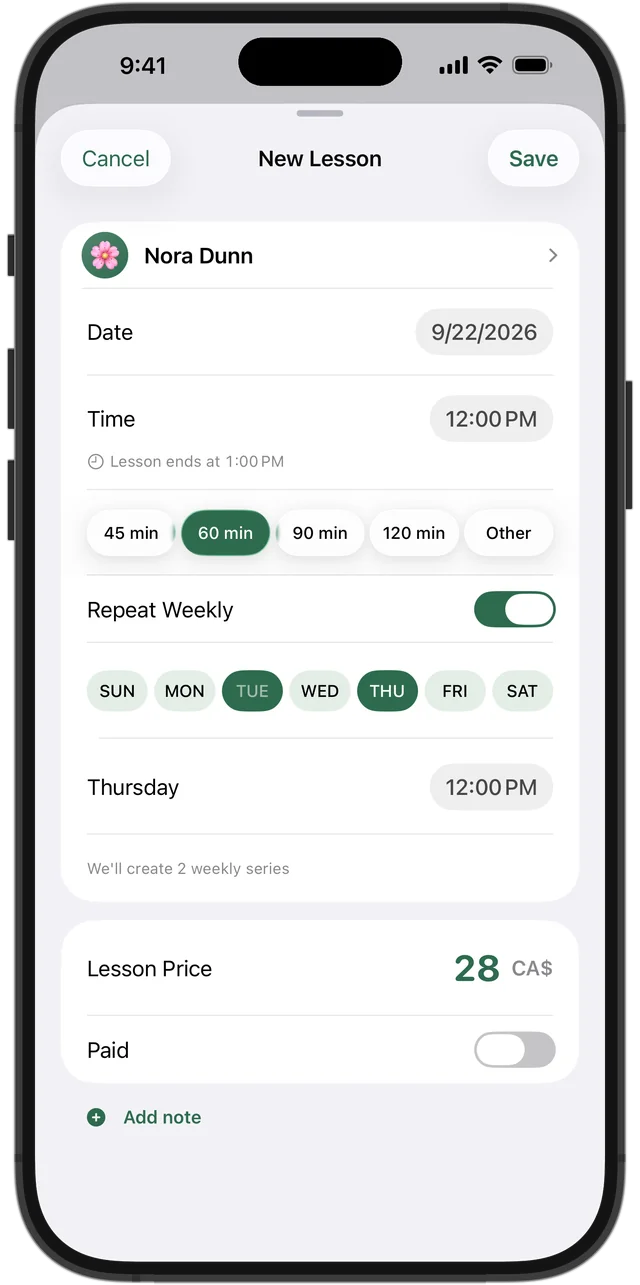
Young children do better with short, regular lessons. In Squool each child is a student: choose “Other” for the lesson length and enter 30 or 40 minutes, or use the 45-minute preset. Turn on “Repeat Weekly,” and a student who comes on Monday and Wednesday gets both days in one series, each with its own time.
Each student gets an emoji avatar, so a busy week reads quickly: 🦄 on Monday, 🚀 on Tuesday.
Parents pay — you keep the count
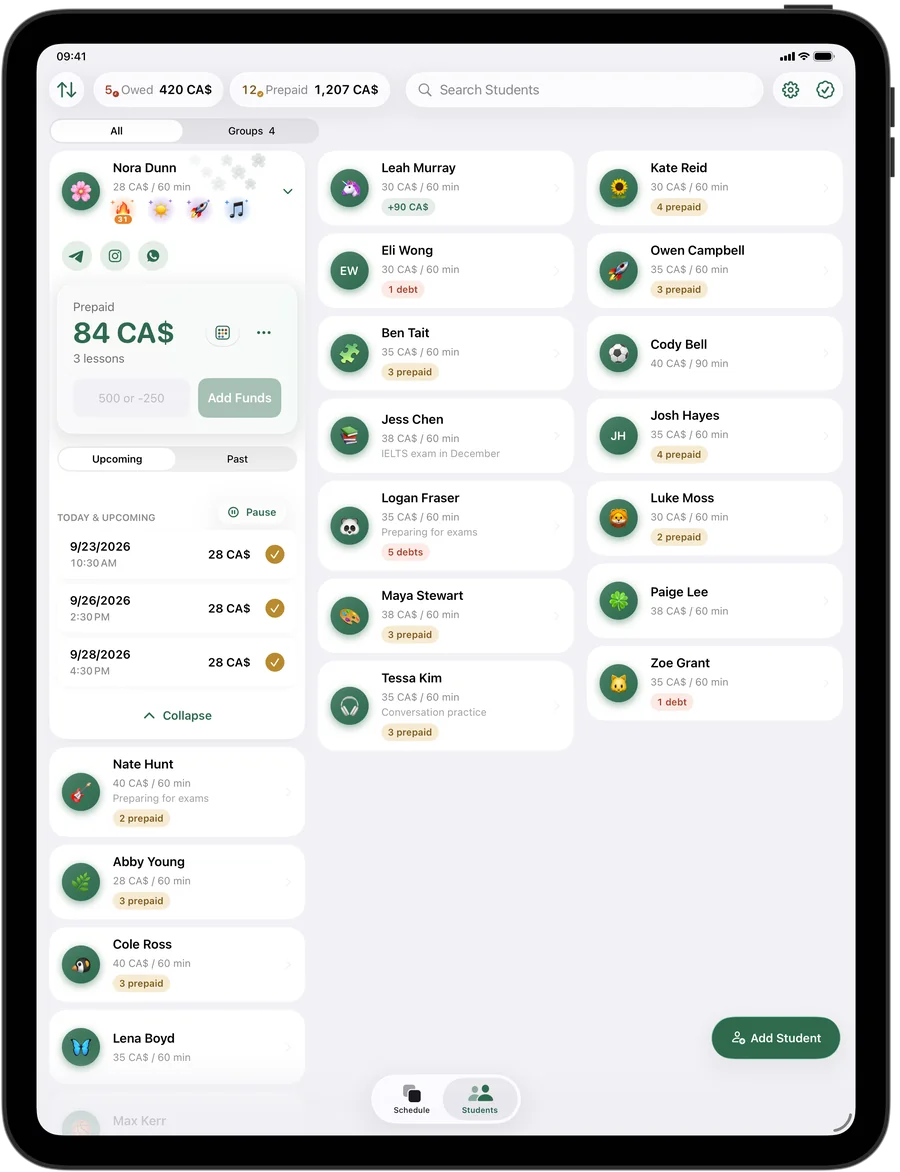
When a parent pays for the month or for a block of lessons, add it to the student's balance with “Add Funds.” Each lesson is then paid automatically as it happens, oldest first, and the student card shows how much is still prepaid. Paid in cash for one lesson? Mark that lesson as paid.
The top of the students screen shows which families owe you and how much. Save the parent's phone, WhatsApp or email in the student's contacts so you can reach them when the next payment is due.
Try it free for 14 days · No card required. Subscribe only once the app has proven it's worth it to you.
Download on the App Store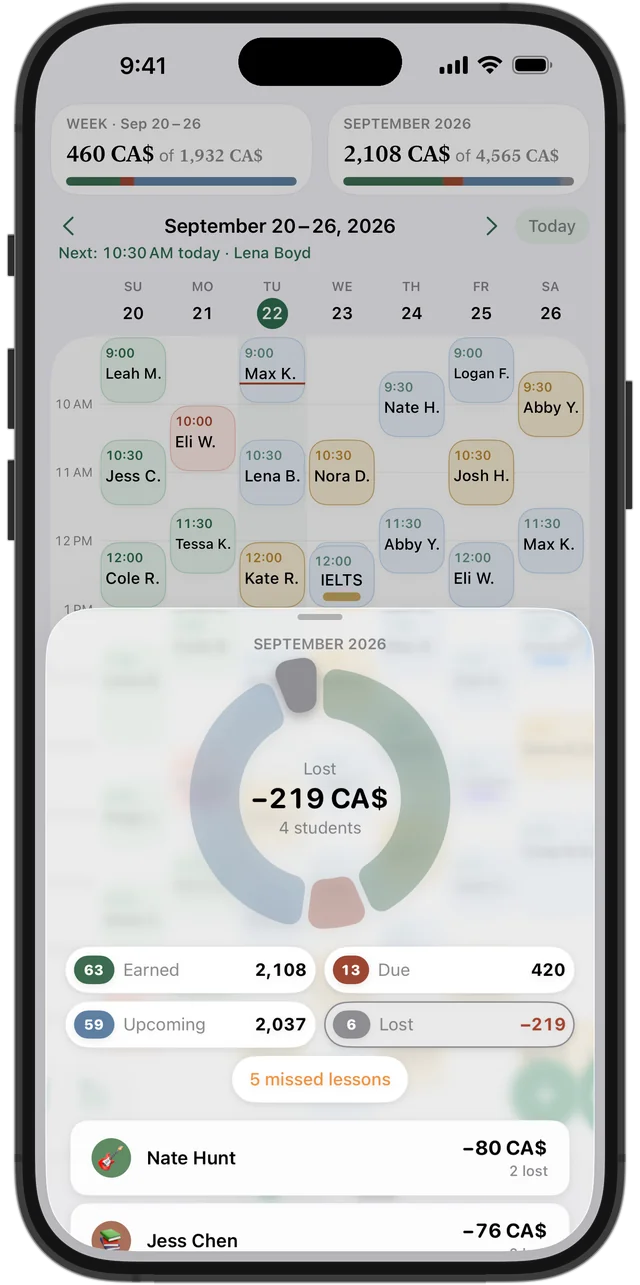
Fevers, colds and cancellations
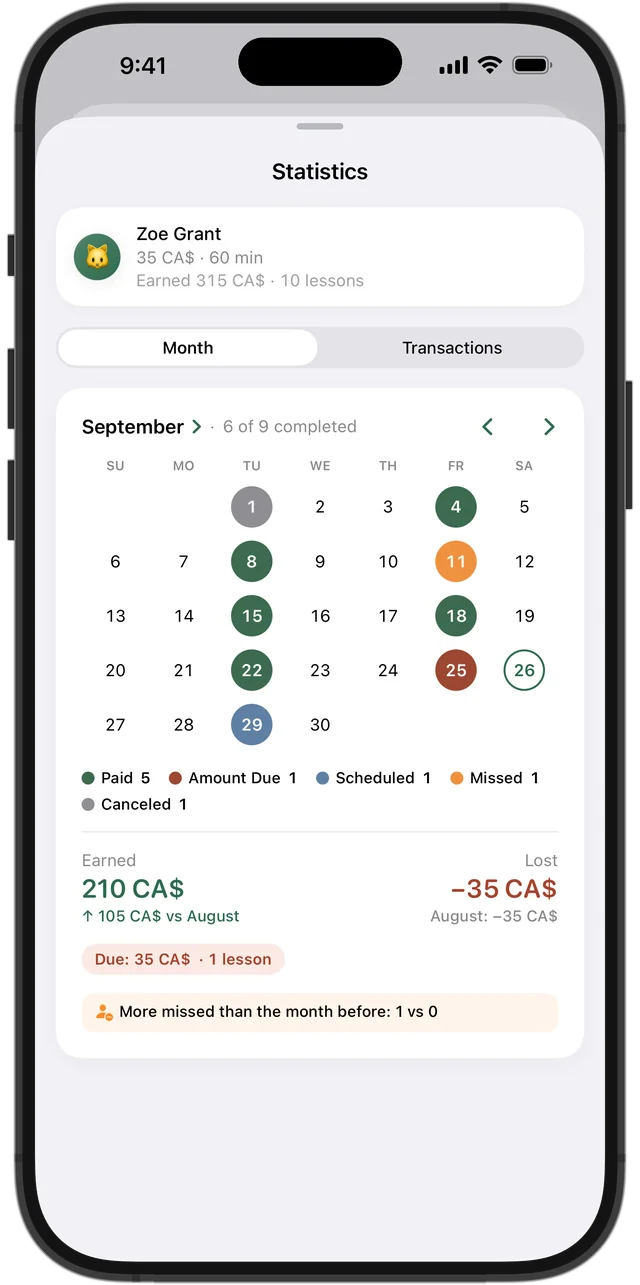
Little ones get sick often, especially in their first year of daycare or JK. When a parent lets you know, cancel the lesson: it isn't charged, and prepaid money stays on the balance for the next one. When a student just doesn't come, mark the lesson as missed and it's charged. Cancelled lessons appear in your statistics as lost income, so you see how much cold and flu season really costs.
Something to show parents
A student's statistics show the month as a calendar: which lessons took place, which were missed or cancelled, what was paid and what's due, compared with the previous month. It's a ready answer when a parent asks how the month went.
Squool also gives students achievements for coming regularly, and a 🔥 streak next to the avatar once they go a month without missing — a small thing to celebrate together.
Mini groups for kindergarten readiness
A kindergarten-readiness group of four can be one group lesson, where each student has their own price. Payments and missed lessons are tracked per student, and you can move or cancel the whole group at once.
Children's data stays with you
Names, schedules and payments are stored on your device and in your own iCloud. The developer can't see them, there's no account to create, and you can back everything up to a file. Your data syncs between iPhone, iPad and Mac, and Apple Watch shows which lesson is now and next.
Squool is for a tutor working alone: there's no parent portal, no online payments and no booking. The first 14 days are free, no credit card needed.
Questions and answers
What app can I use to track tutoring sessions for young children?
Squool keeps your weekly lessons, each student's prepaid balance and the parents' payments on iPhone, iPad, Mac and Apple Watch. You can try it free for 14 days, no credit card needed.
Can parents see the schedule or get notifications?
No. Squool has no parent portal; reminders before lessons go only to you.
How do I handle a sick child who cancels a prepaid session?
Cancel the lesson in Squool: it isn't charged, and the money stays on the student's balance for the next lesson.
Can I schedule 30-minute sessions?
Yes. Choose “Other” for the lesson length and enter 30 minutes.
Is the children's data shared with anyone?
No. It's stored on your device and in your own iCloud, and the developer can't see it.
Read also
Speech-language pathologists
For S-LPs in private practice: weekly sessions, prepaid session packages, parents' payments, missed vs cancelled on iPhone, iPad and Mac.
Missed & cancelled
How to write a fair 24-hour cancellation policy for private lessons, when to charge for a missed lesson, and how to track income lost to cancellations.
Tracking payments
A simple way for tutors in Canada to track payments: one balance per student, prepaid lessons, e-Transfers, who owes you. On paper, in a sheet or an app.
Music teachers
Piano, guitar, violin and voice teachers: weekly lessons, monthly fees from parents, RCM exam prep and missed lessons on iPhone, iPad and Mac.
Try it free for 14 days
No card required. Subscribe only once the app has proven it's worth it to you.
Download on the App Store