Small classes, individual prices
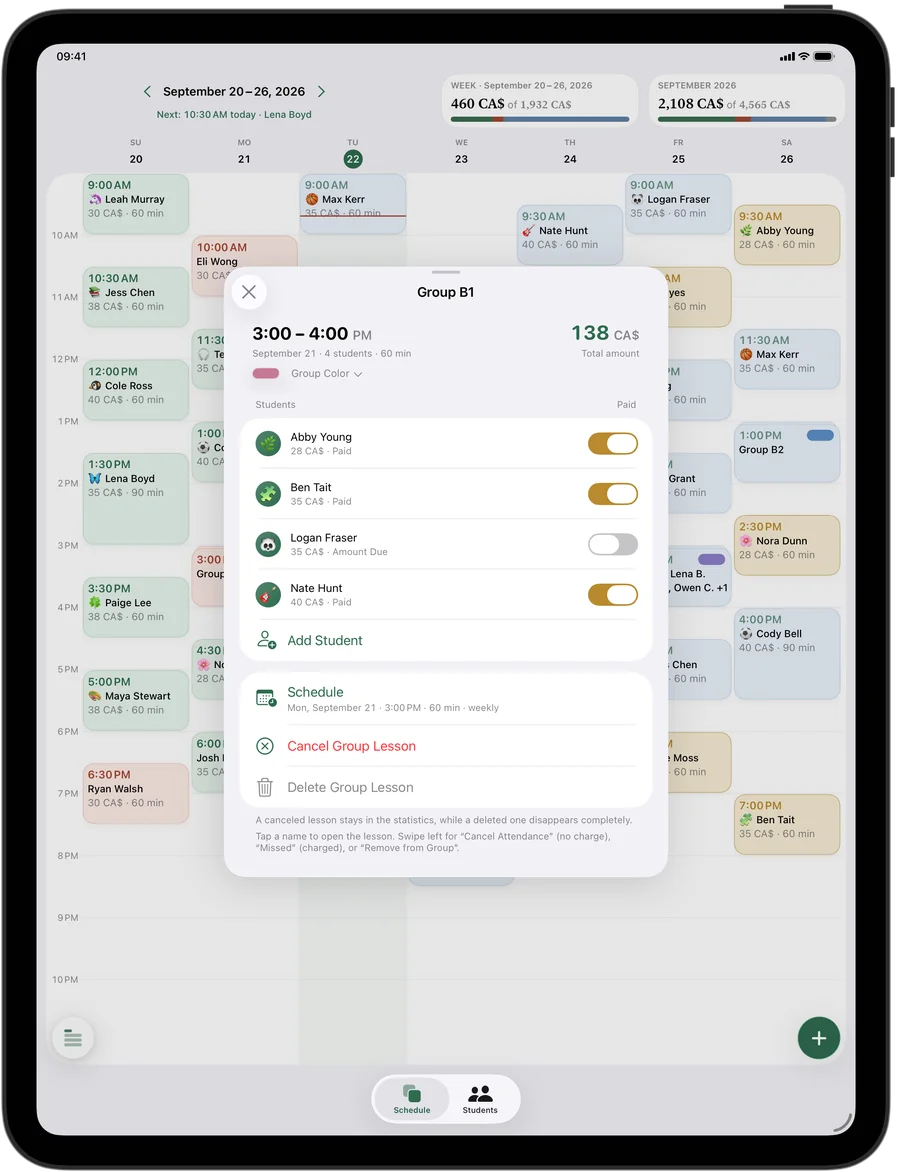
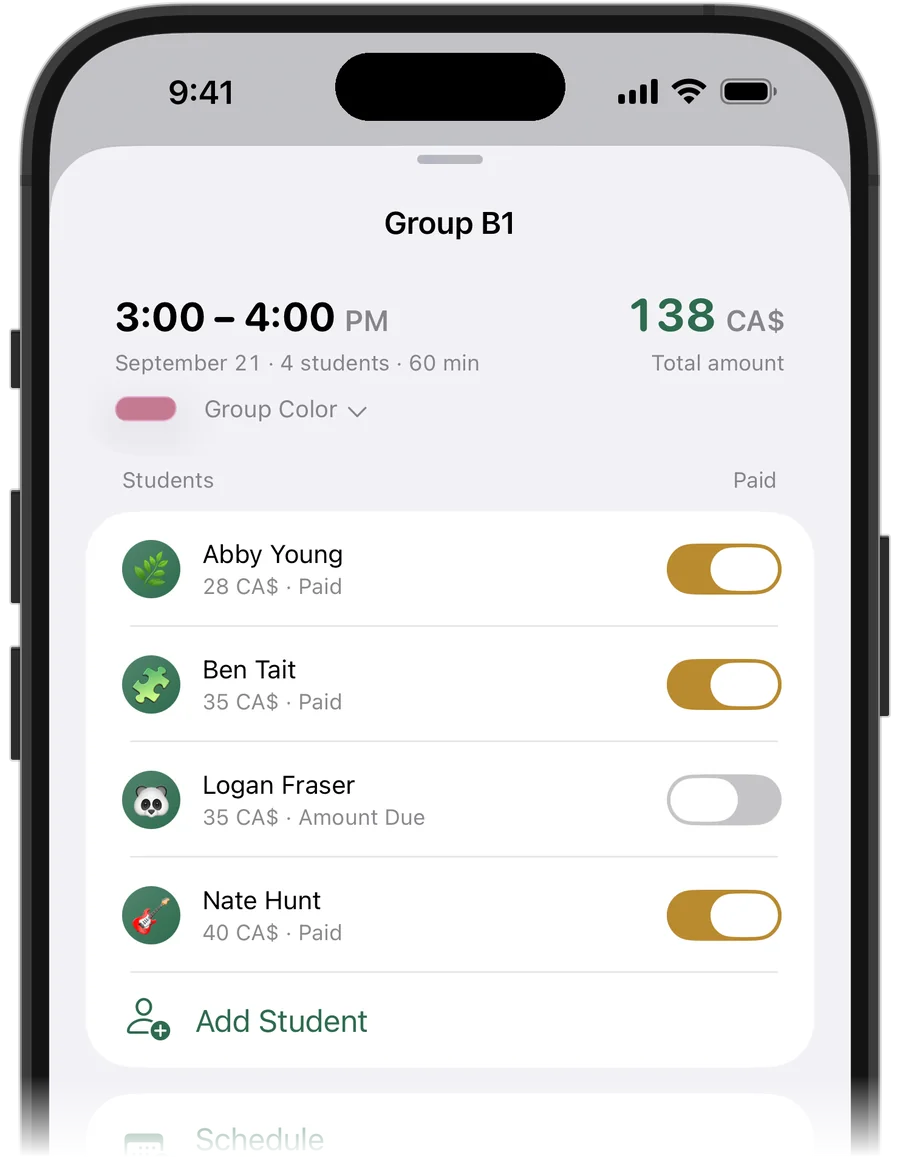
A class in Squool is a group lesson with several students, and each student has their own price: the regular, the one who came for a trial, the sister on a sibling discount. Payments and missed lessons are marked for each student separately.
Give each class a name and a colour — “Ballet Wed 5 p.m.,” “Watercolour Sat” — so your week reads at a glance. If the studio is booked for a recital rehearsal, move or cancel the whole class in one step.
Long classes and weekly classes
Lesson length has presets for 45, 60, 90 and 120 minutes, and “Other” for anything else, like a 75-minute class or a three-hour painting workshop. Turn on “Repeat Weekly” and the class appears every week; a class that meets twice a week before competition season or RAD exams can have two days, each with its own time.
Try it free for 14 days · No card required. Subscribe only once the app has proven it's worth it to you.
Download on the App Store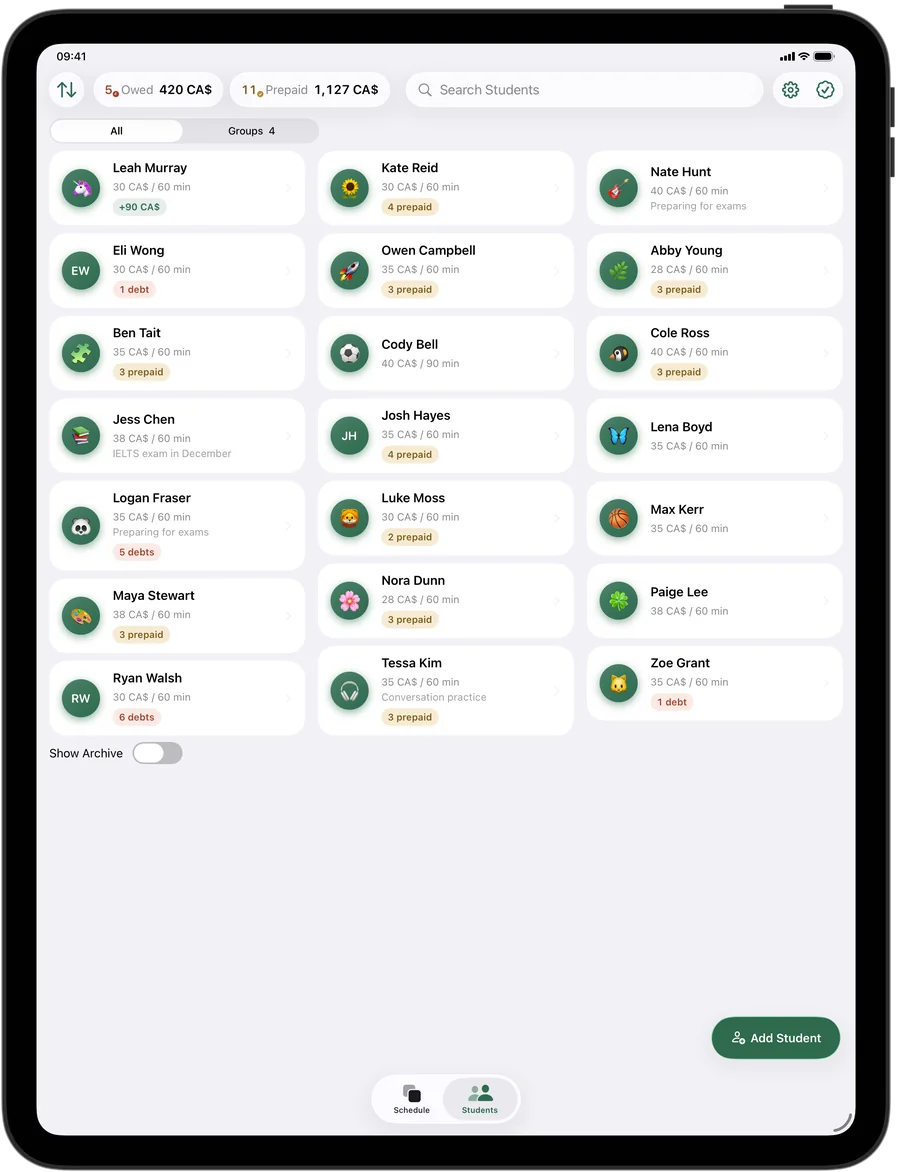
Who has paid for this month or term
Squool counts money per lesson. When a student or a parent pays for the month or the session term, add it to their balance with “Add Funds,” and the lessons are paid one by one as they happen. The top of the student list shows who owes you and who has paid ahead, and you can sort students by debt.
A cancelled lesson isn't charged, and prepaid money goes back to the balance. A lesson missed without warning is charged. Cancellations show up in your statistics as lost income.
Holidays, recital weeks and breaks
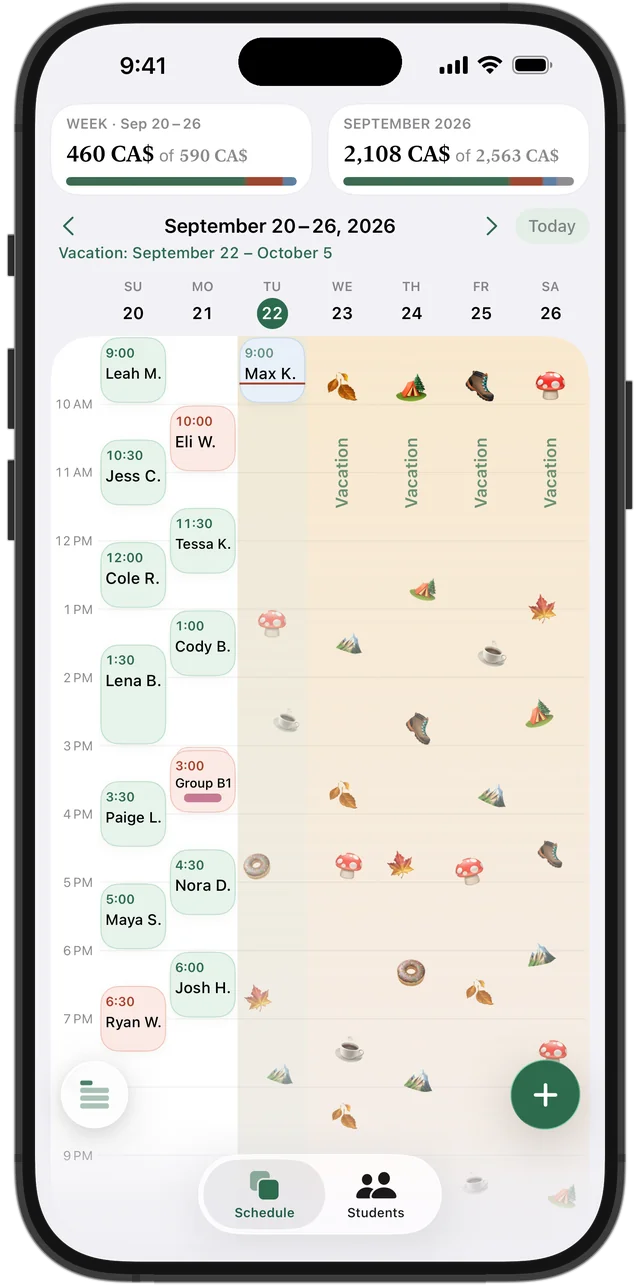
Not teaching over the holidays or March Break? Set a vacation, and every lesson in those dates is cleared automatically. A student taking a term off can be paused on their own. Prepaid money isn't lost in either case — it goes toward the lessons after the break.
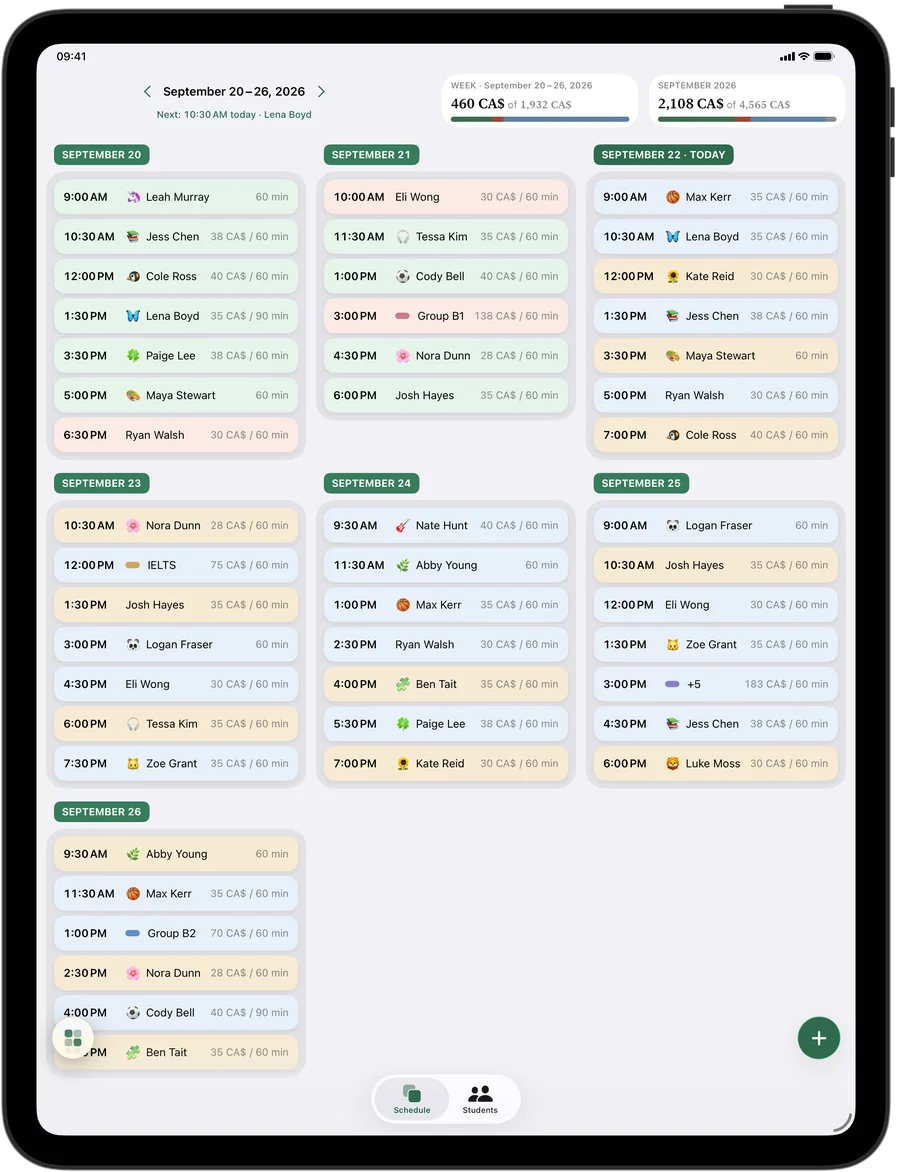
Your week as a grid or a list
Prefer a planner over a grid? Switch your week to a list of days with lessons, amounts and payment status in rows. On iPad and Mac you see full names and the whole week on one screen, and a dark theme is there for late evenings.
Squool also notices who keeps coming: students get achievements like “Every week” and a 🔥 streak next to their avatar — a nice reason to praise them in class.
Your studio's data stays yours
Everything syncs between iPhone, iPad and Mac through your own iCloud, with no account to create. Students' names and payments are stored on your devices and in your iCloud; the developer can't see them. Apple Watch shows which lesson is now and next. Try it free for 14 days, no credit card needed.
One honest note: Squool is for a teacher working on their own. It has no online registration, online payments or accounts for several instructors — it isn't dance studio management software.
Questions and answers
What app do dance teachers use to track class payments?
Squool tracks each student's payments and balance within your weekly classes, with an individual price per student. It works on iPhone, iPad, Mac and Apple Watch and is free for 14 days.
Can students in one class pay different prices?
Yes. In a group lesson, each student has their own price, and payments and missed lessons are tracked separately.
Can I charge a monthly or term fee?
Squool counts money per lesson. Add a monthly or term payment to the student's balance, and it covers the lessons one by one; anything left carries forward.
Can students register for classes through the app?
No. There's no registration, booking or online payment for students; it's your own tool for managing classes and money.
Does Squool work on iPad?
Yes. Squool runs on iPad, iPhone and Mac with the same data, synced through your iCloud.
Read also
Group lessons
How to price and track small group tutoring: an individual price per student, who paid, who missed, cancelling for one student or the whole group.
Vacation & pause
What to do with weekly lessons and prepaid money over March Break, summer or a student's break: a simple policy and how to pause lessons, not delete them.
Music teachers
Piano, guitar, violin and voice teachers: weekly lessons, monthly fees from parents, RCM exam prep and missed lessons on iPhone, iPad and Mac.
Coaches
For hockey skills, skating, swim, tennis and chess coaches and personal trainers: groups with per-person prices, session packages, no-shows and payments.
Try it free for 14 days
No card required. Subscribe only once the app has proven it's worth it to you.
Download on the App Store